VERSUSBLOCK
Block Overview
Highlights
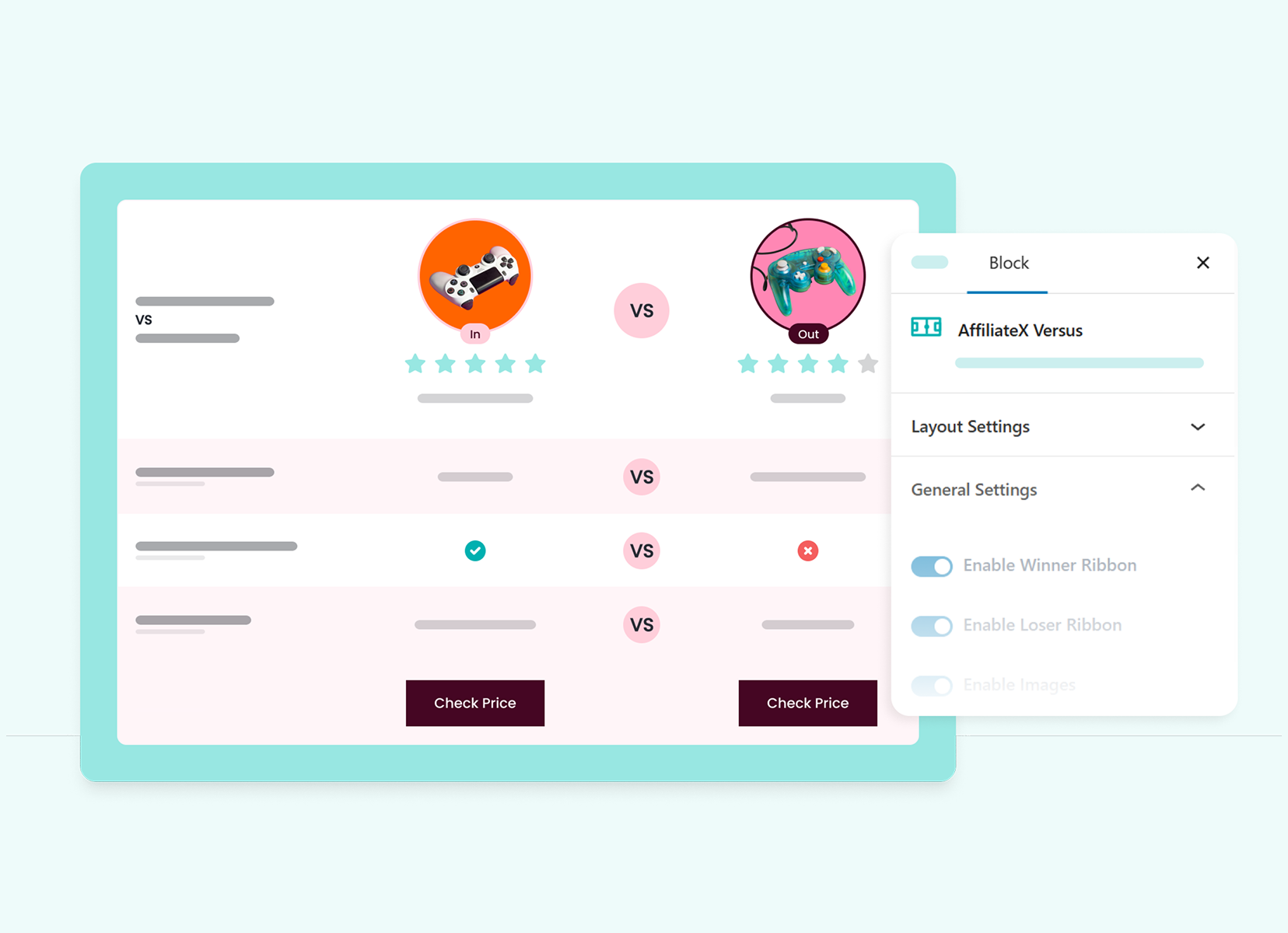
Deliver head-to-head comparisons of pros, cons, and essential features using interactive tags that spotlight specific strengths without overwhelming your audience.
These clear visual indicators, paired with integrated call-to-action buttons, turn informed readers into confident buyers, driving immediate revenue for your affiliate site
Why Choose This Block
- Show direct comparison of two products or more clearly displaying their pros, cons, and key features side-by-side
- Spot the key differences, like strengths and weaknesses, of each option to enlighten users
- Offer a simple, clear comparison that keeps readers engaged with your affiliate and boosts sales
- Clear and interactive CTA buttons allow users to quickly decide which product to buy
- Provides valuable comparisons that empower users to choose the product that best suits their needs
Explore Ready Layouts
| Lumix GH6 II vs Canon EOS | 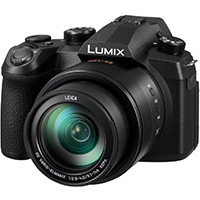 Winner Winner $1599.00 | 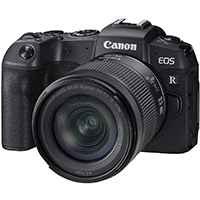 Loser Loser $1299.00 | |
|---|---|---|---|
| Brand | Panasonic | Canon | |
| Shooting Speed | 60fps | 60fps | |
| Video | 4K | Full HD | |
| Microphone | |||
| Image Stabilization | |||
| Screen Size | 2 inches | 1.6 inches | |
| Shooting Modes | |||
| Check Price | Check Price |
Layout Style 1
Choose this ready-to-use layout, which includes a table format, each column and row help showcase product key details and announce the winner or tie. Have a lot of customization options by fixing title, subtitle, color, alignment, typography, space, and add optional call to action buttons, links with other advanced design features to design a diverse variation of layouts to get proper information to visitors or potential buyers that motivate the audience to take an immediate purchase decision and boost sales.
| Camera | Lumix GH6 II | Canon EOS |
|---|---|---|
| Brand | Panasonic | Canon |
| Shooting Speed | 60fps | 60fps |
| Video | 4K | Full HD |
| Microphone | ||
| Image Stabilization | ||
| Screen Size | 2 inches | 1.6 inches |
| Shooting Modes |
Layout Style 2
This exclusive table layout lets you showcase essential product details across columns and rows, with clear “Winner” or “Tie” indicators for a professional verdict. With deep customization options for typography, spacing, and alignment, you can craft diverse, high-impact designs that provide shoppers with the clarity needed to make immediate purchasing decisions and boost your overall sales.
| Lumix GH6 II vs Canon EOS | Winner $1599.00 | Loser $1299.00 | |
|---|---|---|---|
| Brand | Panasonic | Canon | |
| Shooting Speed | 60fps | 60fps | |
| Video | 4K | Full HD | |
| Microphone | |||
| Image Stabilization | |||
| Screen Size | 2 inches | 1.6 inches | |
| Shooting Modes | |||
| Check Price | Check Price |
Layout Style 1
Choose this ready-to-use layout, which includes a table format, each column and row help showcase product key details and announce the winner or tie. Have a lot of customization options by fixing title, subtitle, color, alignment, typography, space, and add optional call to action buttons, links with other advanced design features to design a diverse variation of layouts to get proper information to visitors or potential buyers that motivate the audience to take an immediate purchase decision and boost sales.
| Camera | Lumix GH6 II | Canon EOS |
|---|---|---|
| Brand | Panasonic | Canon |
| Shooting Speed | 60fps | 60fps |
| Video | 4K | Full HD |
| Microphone | ||
| Image Stabilization | ||
| Screen Size | 2 inches | 1.6 inches |
| Shooting Modes |
Layout Style 2
This exclusive table layout lets you showcase essential product details across columns and rows, with clear “Winner” or “Tie” indicators for a professional verdict. With deep customization options for typography, spacing, and alignment, you can craft diverse, high-impact designs that provide shoppers with the clarity needed to make immediate purchasing decisions and boost your overall sales.
Top Features
Key Features That Stand Out
Displays Key Features
Highlights the most important features of each product in a side-by-side format and makes it easier for users to see how the products differ
SEO Optimized
Ensure that search engines can easily identify and index the comparison to improve your search rankings
Interactive Elements
Includes clickable elements such as Call-to-Action buttons and product images, which enhance user engagement
Customizable Layouts
Choose from different layout options to best suit your website’s theme or preference
Custom Verdict Tags
Use visual elements such as icons, badges, or highlighted text to emphasize the product that performs better in specific categories
Responsive Design
Seamlessly fit to all screen sizes, ensuring your comparison looks great on a desktop, tablet, or mobile device
Block Setup
How to Configure the Block
Insert the Block
In your Gutenberg or Elementor Editor, insert ‘Versus’ block and drag it into your post or page’s desired location
Fill In Comparison Points
Complete details for each product you wish to compare, including features, specifications, verdict, ratings, and pricing
Design Customization
Use advanced customization options to adjust text, labels, colors, and other features as per your preference
Save and Publish
Now review your entire versus setup and customizations, then save changes and instantly publish your post or page
Ready to Grow Your Affiliate Earnings?
Drive clicks and revenue using the powerful AffiliateX Versus, featuring Amazon, eBay, and AliExpress integrations and all exclusives!
Discover More AffiliateX Blocks