Established Amazon-only affiliates with dev support
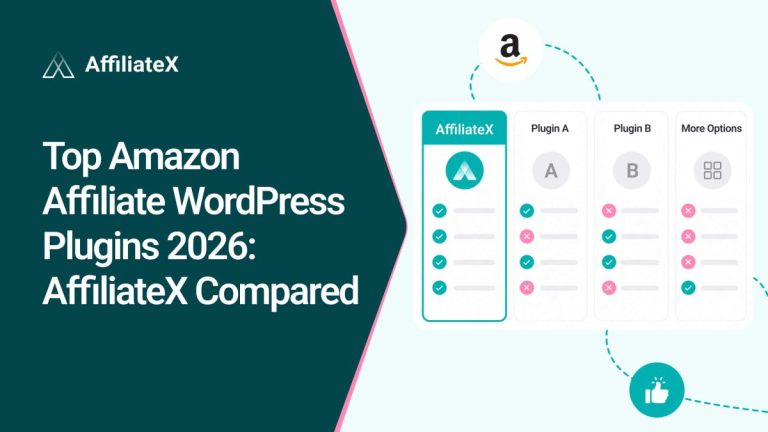
Check this interactive and detailed AffiliateX Product Comparison table information that shows you the insights at a glance for AffiliateX vs AAWP, all exclusives, so that you can learn and pick the best affiliate marketing solution. Now, just take a deep dive into this blog for a detailed overview.
Picking the right Amazon affiliate plugin in 2026 is harder than it used to be. Amazon tightened its API rules, deprecated PA-API, and pushed everyone to migrate to the new Creator API, all in a single year. The plugin you choose now has to handle that turbulence, not pretend it isn’t happening.
This guide compares AffiliateX and AAWP on the things that actually decide whether your affiliate site grows or stalls: API resilience, multi-marketplace support, ease of use, pricing, and real-world workflow. Check out this detailed side-by-side comparison of AffiliateX vs AAWP to pick the one that fits how you actually work.
Why AffiliateX vs AAWP Comparison Matters in 2026
In the past, making money as an Amazon affiliate on WordPress was simple. You just picked a tool, added your affiliate code, and put some product boxes on your site. Once that was done, you could sit back and wait for results.
Today, things have changed. The easy days are over because readers expect more, and the internet moves much faster. To succeed now, your site needs to look professional, load quickly on mobile phones, and offer a great experience. Simply “dropping in a link” isn’t enough to win anymore.
Between 2024 and 2026, three things changed at once:
Amazon tightened API access. The Product Advertising API (PA-API 5.0) now requires you to generate 10 qualified sales in any rolling 30-day window to keep access active. Miss the threshold, and your keys stop returning data, your product boxes go blank.
PA-API is being phased out. Amazon has announced that PA-API 5.0 is being deprecated and that affiliates should migrate to the new Creator API, with Offers V1 already retired in early 2026.
Affiliate plugins had to adapt to the change. Plugins built entirely around PA-API suddenly had a structural problem. Some scrambled. Others, like AffiliateX, had already built a layer that works without a direct API connection.
If you are evaluating AffiliateX against AAWP today, you are not choosing between two interchangeable Amazon plugins. You are choosing between two very different philosophies about how data should flow into your affiliate site, what it costs you, and how much risk you are willing to carry.
This guide walks through every meaningful difference. It is intentionally long because the decision is harder than it looks, and skimming a feature checklist is how people end up rebuilding their site eighteen months later.
AffiliateX at a glance
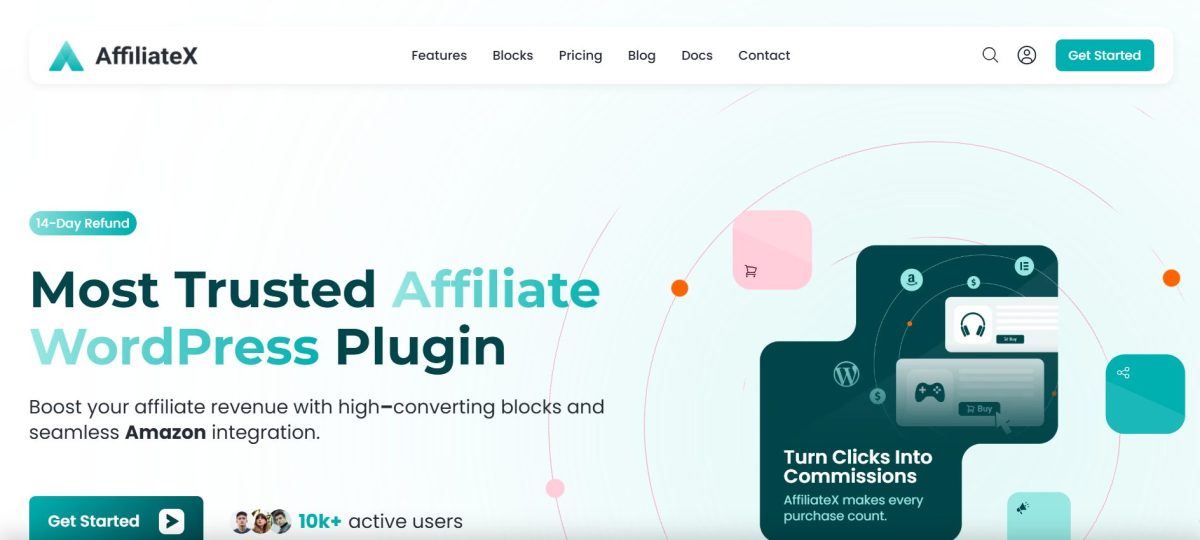
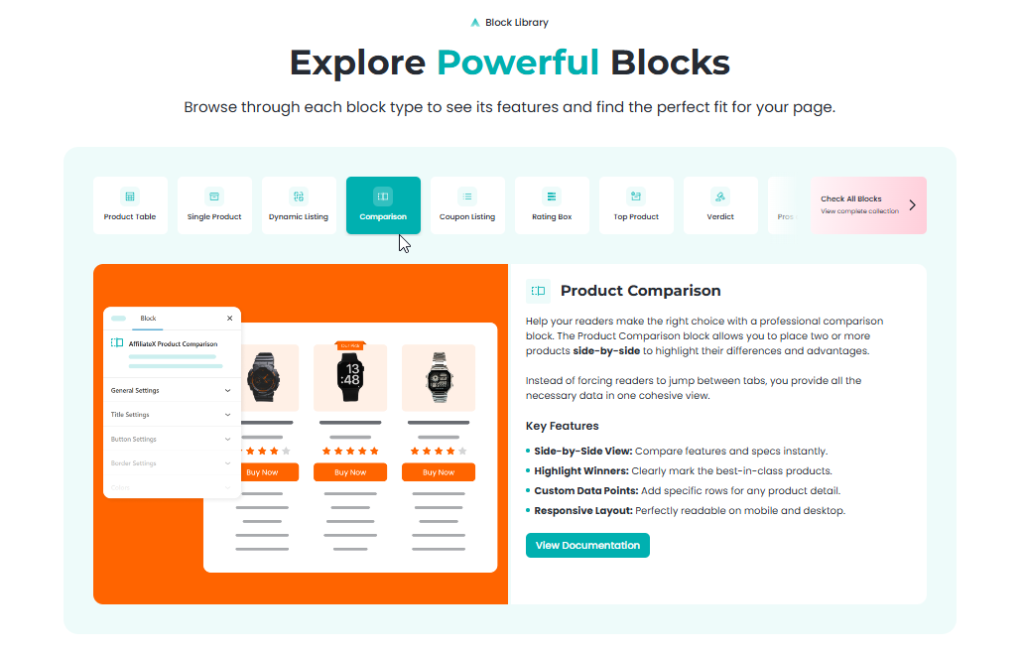
AffiliateX is a block-based affiliate marketing plugin built natively for the WordPress block editor, Gutenberg, and also integrated with Elementor. Rather than asking you to memorize shortcodes, it gives you a library of more than 20 drop-in blocks, including single product boxes, comparison tables, pros-and-cons lists, coupon grids, top product lists, versus blocks, rating boxes, specifications, verdicts, and more.
Each block comes with ready-to-use templates, so any beginner or experienced affiliate can, with just one click, choose and modify the design of each post or page section with no code.
What sets it apart structurally is the Zero API layer. You can run an entire affiliate site on AffiliateX without ever connecting to Amazon’s Product Advertising API. You can also connect when you are ready; in that case, the plugin uses the Amazon Creator API for live data syncing. That means if you are facing issues with completing sales requirements or any sort of Creators API connection issues, you can bypass the API or sales issues temporarily with this advanced Zero API feature and continue your affiliate marketing journey.
AffiliateX also reaches beyond Amazon. Native integrations for eBay and AliExpress are built in, with live pricing, descriptions, and image galleries pulled directly from those marketplaces. Add a built-in analytics module, email reports, broken link checking, geolocation redirects, and a ready-to-use template library, and AffiliateX positions itself as an end-to-end stack for the modern affiliate rather than a single-purpose Amazon tool.
It offers a free version, an interactive live demo, and Pro plansstarting at $69/year for one site or $199 one-time for a lifetime single-site licence.
AAWP at a glance
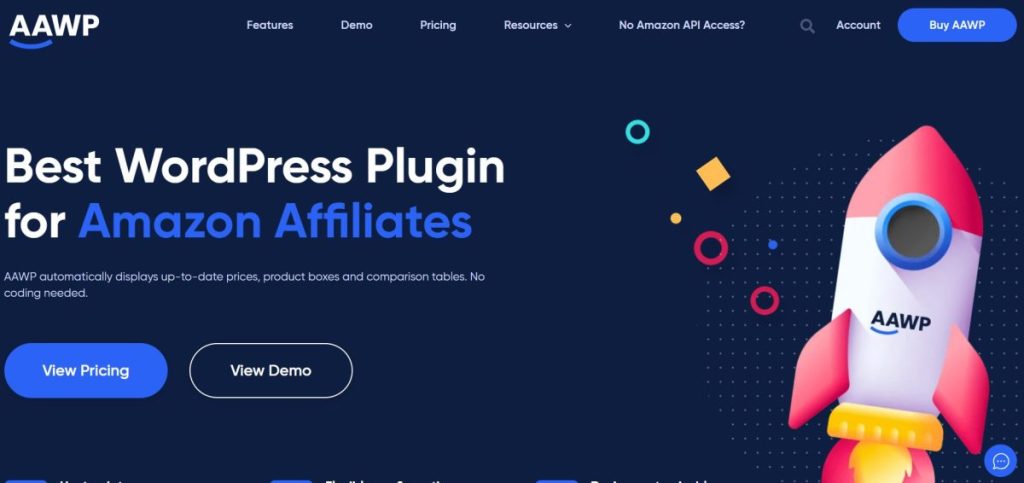
AAWP, in short, is the Amazon Affiliate WordPress Plugin, one of the most established plugins in this space, with deep adoption and an active developer behind it. It is purpose-built for Amazon and has spent most of its life as the default recommendation for anyone running a serious Amazon-only review site.
Its core building blocks are shortcodes. You generate a shortcode for a product box, bestseller list, new releases list, or comparison table, paste it into your content, and AAWP renders the output using data pulled from Amazon’s PA-API.
In response to the API access crunch, the AAWP team launched its own AAWP API. This paid add-on service proxies Amazon product data so affiliates without PA-API access can still display product information. This is a meaningful update and worth weighing.
AAWP does not offer a free version. Pricing starts at €79/year for one site or €299 one-time for a lifetime single-site licence (up to €899 for ten sites). The AAWP API service is billed separately on top of the plugin licence.
Amazon API Module has Changed Everything
Before going further, it is worth slowing down on the API situation because it is the single biggest factor in this decision for most readers.
Old Assumption
For years, the standard advice for new Amazon affiliates was: sign up to the Associates programme, request PA-API access, plug your keys into your plugin, and you are off. Plugins competed on the polish of their product boxes, not on how they got the data.
What Changed
Amazon now enforces an ongoing eligibility rule: your account must generate qualifying sales in the past 180 days to keep PA-API access. The widely reported threshold is 3 qualified sales in any 180-day window, with API access revoked the moment you slip below it. If you are a new affiliate, you cannot get API access until you have made sales. Without it, every plugin that depends on live API calls is essentially blind.
Also, Amazon has announced that PA-API 5.0 is being deprecated in favour of the new Creator API, with parts of the old API (notably Offers V1) already retired in January 2026.
Why This Matters for Plugin Choice
If your plugin’s entire architecture assumes a working API connection, every one of these changes is a risk you inherit:
New affiliates can’t start. You either wait, fake your way through manual workarounds, or pay for a proxy.
Existing affiliates can lose access overnight. A bad month, a seasonal dip, a niche slowdown, and your live boxes break.
Migration to the Creator API is mandatory. Plugins that haven’t already adopted the Creator API need to update, and affiliates need to reissue credentials.
AffiliateX’s Zero APIpremium mode is, in plain terms, an insurance policy against all three problems. You can build, launch, and run an affiliate site even if you never gain API access. When you are ready, you can opt into the Creator API and let AffiliateX handle the syncing.
AAWP’s response was to pay the paid AAWP API to solve the same problem differently. It works, but it adds a recurring cost on top of the plugin licence, and you are paying a third party to broker product data you no longer pull yourself.
Blocks vs Shortcodes
The bigger difference between these two plugins, AffiliateX vs AAWP, shows up in how you actually build a page.
AffiliateX: Native Blocks
Every AffiliateX feature is a Gutenberg block. You add a “Single Product” block, a “Product Comparison Table” block, or a “Pros and Cons” block from the standard WordPress inserter. The block renders inside the editor exactly as it will render on the live site. Colours, typography, button styles, ribbons, image sliders, ratings, columns, padding, all of it is adjusted from the block’s sidebar controls, and the preview updates in real time.
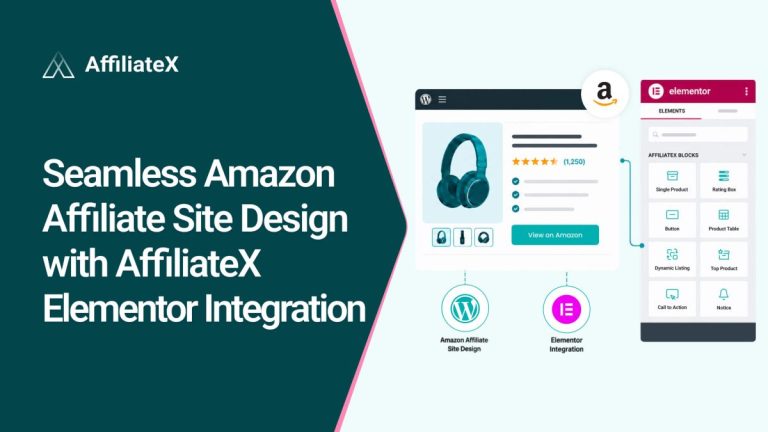
For Elementor users, the same blocks are available as Elementor widgets through the official integration, so you keep your existing page-building workflow without falling back to shortcode embeds.
The practical upshot is this: you can see the product box, change the colour of its button, replace its image, and reorder its features without ever leaving the editor or guessing what the front end will look like.
AAWP: Shortcodes with Template Overrides
AAWP uses a shortcode model. A product box is [amazon box=”ASIN”]. A bestseller list is [amazon bestseller=”…”]. A comparison table is [amazon table=”…”]. You can stack attributes inside the shortcode to control which elements appear, but the editor shows you a code snippet, not the rendered output. To see the final result, you preview the page or publish it.
Customisation beyond shortcode attributes is handled through custom CSS, template overrides (copy a template file into your theme and edit the PHP), or AAWP’s table builder for comparison tables. This system is more powerful than it looks once you know it, but the learning curve is real, and it locks design changes behind code.
Which Approach Wins
It depends on your team and your tolerance for code.
If you are a solo affiliate or a small team that wants to ship reviews quickly without involving a developer, the block model is faster end-to-end. You hire a writer, they drop in blocks, you publish.
If you have a fixed visual system you want enforced across hundreds of pages, the template-override model can be precise, but only after the initial setup investment.
For most operators in 2026, especially those running content at scale with non-developer contributors, the block model removes the friction imposed by the shortcode model by design.
Setup and Onboarding Compared
The first hour with each plugin tells you a lot.
AffiliateX: Install and Start Publishing
The free version of AffiliateX can be activated directly from the WordPress repository. After activation, you can start adding product blocks immediately. You don’t need to enter any credentials. You don’t need to wait for Amazon. The “Buy Now” button on each block can point to any URL your Associates link, an AliExpress link, an eBay link, anything.
When you are ready to enable live data syncing, open the plugin’s Amazon Settings, add your Creator API credentials, and start live updates. The same flow applies to eBay and AliExpress, each with its own settings section. For new affiliates, the key detail is that you can build a site that earns sales, which unlocks API access.
AAWP: Configure First, Build Second
AAWP’s setup expects you to bring API credentials. You install the plugin, but to use its core features at full strength, like automatic price updates, live rating data, and image syncing, you need either Amazon’s PA-API keys or AAWP’s own paid API service. The first run includes configuring your Associates tag, choosing your default marketplace, and pasting in those credentials.
You can technically use AAWP without an API connection, but the plugin’s value proposition is automation. Without the data feed, the experience significantly flattens out. AAWP itself directs new users to its paid API service as the fallback, which is candid of them but also clarifies the underlying model.
Verdict on setup
AffiliateX is designed to work perfectly the moment you turn it on. You don’t need to be a tech expert or spend hours reading a manual to get started. Just install it, and you are ready to create beautiful product boxes and tables and publish your affiliate site immediately. AAWP requires either an active API connection or a paid bridge service to feel like the product it markets. For people just starting, that difference is a big deal.
Amazon Integration: Zero API, PA-API, and Creator API
This is the part that has changed the most in the last twelve months, so it deserves its own breakdown.
AffiliateX’s Approach
AffiliateX supports three modes of working with Amazon data:
Zero API mode. You can add products and their information if you are facing issues with the Amazon API integration. So, without an API connection, you can showcase your products in compliance with the Amazon API, and nothing breaks if Amazon changes its API rules.
Zero API is a deliberate design choice that recognises a real-world constraint: a large share of affiliates either cannot get API access or do not want to depend on it.
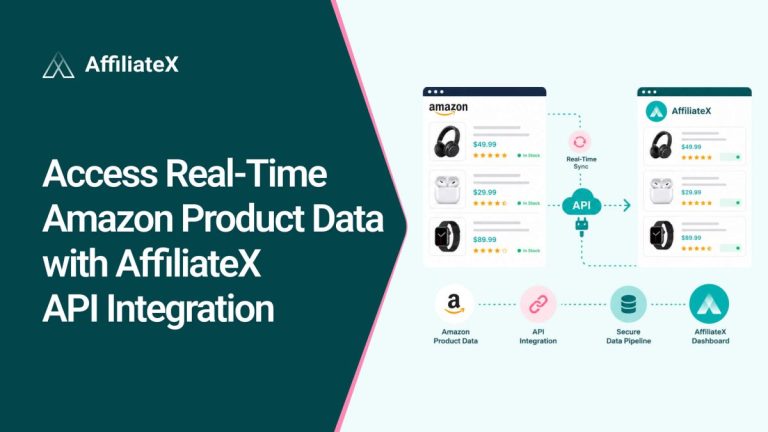
Creator API integration. When you have credentials, AffiliateX uses Amazon’s newer Creator API for live product data. This is the path Amazon itself is now pushing developers toward.
Dynamic Listing. You give the plugin a keyword, such as “wireless earbuds,” and it automatically pulls live product results that match that query. This is genuinely useful for category pages and round-up posts that need to stay fresh.
AAWP’s Approach
AAWP is fundamentally an API-first plugin. Its core competitive story is “fully automated Amazon data,” and it delivers that by calling Amazon’s API on every cache refresh.
When PA-API access tightened, AAWP launched the AAWP API as a workaround. This service, billed separately from the plugin licence, supplies product data so that affiliates without PA-API can still use the plugin’s features. It works. It is also an additional recurring cost you should factor into your total cost of ownership.
Detail Review
If you already have stable PA-API or Creator API access and intend to keep it, both plugins handle live sync competently. The difference shows up at the edges:
No API access yet. AffiliateX lets you start today with Zero API. AAWP needs you to subscribe to its paid API service.
Lost API access mid-year. AffiliateX’s blocks keep displaying the cached or manually entered data. AAWP’s blocks degrade unless you subscribe to the API service.
Migrating from PA-API to Creator API. Both will need to make this switch on the affiliate side, but plugins that already operate without strict API dependency are less exposed.
Multi-Marketplace Reach: Amazon, eBay, AliExpress
This is the single largest practical gap between the two plugins today, and it deserves a clean look.
AliExpress: live prices, descriptions, high-quality photos
You can mix marketplaces within a single comparison table or top-products block, which matters for niches where Amazon does not stock the relevant product (industrial parts, niche electronics, some health and beauty SKUs).
AAWP
Amazon only. AAWP makes no claim to support other marketplaces. If your monetisation strategy includes eBay sellers, AliExpress dropshipping referrals, or any non-Amazon affiliate programmes for products, you will need a second plugin in addition to AAWP.
Verdict
If your business is genuinely Amazon-only and you have no intention of broadening, this is a non-issue. If you suspect you might add eBay or AliExpress income streams in the next year or two, and most growing affiliate sites do, AffiliateX gives you that runway inside one plugin.
Content Blocks and Layout Library
Both plugins offer multiple display types. The vocabulary is slightly different, but the categories overlap. Here is the practical breakdown.
AffiliateX’s Block Library
The current library includes (but is not limited to):
The library has been actively expanding, and the block model allows new blocks to be released independently of the core plugin update cycle.
AAWP’s Display Elements
AAWP’s display types include:
Product Boxes (single and multi-variant)
Bestseller Lists (auto-updated by category)
New Releases Lists
Comparison Tables (via the table builder)
Data Fields (granular individual elements like price, rating, image)
Buy Buttons
Star Ratings
AAWP’s range is narrower in terms of count but covers the canonical Amazon affiliate use cases in depth. The bestseller and new releases lists, in particular, are genuinely strong; they auto-update from Amazon’s category data without any manual maintenance.
Where Each Pulls Ahead
AAWP has the edge for fully automated bestseller and new-releases listings that need zero ongoing curation.
AffiliateX has the edge for coupon and deal pages, versus-style comparison content, and any layout where per-block visual control matters.
Core Features Compared
Both plugins are built to do the same job, to display Amazon affiliate products and help you earn commissions. But they approach it with different feature sets.
AffiliateX’s Features Set
AffiliateX bundles a wide range of features that go beyond product display:
Zero API mode (build a full site without Amazon API access)
Amazon Creators API integration for live data syncing
eBay integration with live pricing and image galleries
AliExpress integration with live prices and photos
Multi-marketplace mixing inside a single block
Built-in analytics dashboard covering all three marketplaces
Scheduled email performance reports
Broken link checker with weekly or monthly scans
Geolocation routing to local Amazon storefronts
Affiliate disclosure support for each block to FTC and Amazon compliance
Official Elementor integration
Template library with conversion-tested layouts
Free version available on the WordPress repository
The feature set leans toward providing affiliates with an all-in-one stack to display data, analytics, and compliance in a single plugin.
AAWP’s Features Set
AAWP focuses tightly on the Amazon affiliate workflow and does it with depth:
Automatic price and data updates via Amazon’s API
AAWP API service for affiliates without direct PA-API access
Auto-updating bestseller lists by category
Auto-updating new releases lists
Click tracking down to individual elements within a product box
Geo-targeting across major Amazon storefronts
Comparison table builder
PHP template overrides for deep customisation
“Last updated” price timestamps for Amazon ToS compliance
Free one-year ClickWhale link manager licence included
AAWP’s scope is narrower, but advanced for Amazon-only sites. It’s the automated bestseller and new-releases lists. They refresh from Amazon’s category data with zero ongoing maintenance.
Where Each Pulls Ahead
AffiliateX has the edge for multi-marketplace reach, a free starting point, automated email reporting, and an all-in-one feature stack that covers analytics and compliance without extra plugins.
AAWP has hands-off Amazon automation, auto-updating bestseller and new-releases lists, per-element click tracking, and deep PHP-level customisation for developers.
Templates and Design Control
AffiliateX
Every block ships with multiple pre-designed templates, conversion-tested layouts you can apply with one click, and then customize. Beyond templates, every block exposes controls for colours, typography, spacing, border radius, ribbon styles, button styles, rating icons, and column ratios directly in the editor sidebar. Changes are visual and immediate.
The template library is positioned as a starting point, not a constraint. Affiliates running multiple sites can build their own brand-specific look without writing CSS.
AAWP
AAWP ships with a set of prepared templates, horizontal and vertical product boxes, list layouts, and table styles. Deeper customisation happens through:
Shortcode attributes (for which elements appear, in what order)
Custom CSS for colours, typography, spacing
Template overrides (copy the AAWP template file into your theme and edit PHP/HTML)
The comparison table builder for table layouts
This system is genuinely powerful in skilled hands. The trade-off is that anything beyond surface tweaks lives in code, not in the editor.
Verdict
For non-developer affiliates, AffiliateX is faster and lower-friction. For agencies with developers on staff who want pixel control across hundreds of sites and don’t mind PHP overrides, AAWP’s model is workable.
Analytics, Tracking, and Reporting
AffiliateX
AffiliateX includes a built-in analytics module that covers performance on Amazon, eBay, and AliExpress. You see clicks, click-through patterns, and which products are driving engagement, all from inside the WordPress dashboard. An email reports feature delivers performance summaries to your inbox on a schedule you choose, such as weekly, monthly, or both.
For affiliates who want a single source of truth for content performance without bolting on a separate analytics plugin, this is meaningful.
AAWP
AAWP includes Click Tracking as a core feature, with the ability to identify which products and even which individual elements within a product box are clicked most often. This is well-implemented and has been a strength of the plugin for a long time.
What it does not include natively is multi-marketplace analytics or scheduled email reports, both because AAWP is Amazon-only and because reporting has historically been treated as a thing affiliates pipe out to external tools.
Verdict
For detailed click-element analytics on Amazon specifically, AAWP is strong. For broader cross-marketplace dashboards and automated reporting, AffiliateX is more complete.
Link health and Amazon ToS compliance
Amazon’s Operating Agreement is strict about how product data must be presented. Most notably, the requirement to display the “last updated” timestamp on prices and to keep prices reasonably fresh. Broken affiliate links are also a slow-leak revenue killer that no analytics dashboard catches in real time.
AffiliateX
Built-in affiliate disclosure block. This makes it straightforward to surface the FTC/Amazon disclosure on review and roundup pages in a consistent format. Compliance is not optional; not building it in places the burden on the writer.
Broken Link Checker. Schedules weekly or monthly scans of your affiliate links and emails you the broken ones. This catches problems, product delisted, ASIN changed, and redirect chain broken that otherwise rot in the background while traffic still flows.
AAWP
AAWP’s automatic price updates, when API access is available, keep prices up to date in line with Amazon’s ToS. The plugin’s “as of” timestamp is supported and configurable. The Amazon ToS support is a long-standing strength.
AAWP does not have a built-in broken link scanner. Disclosure handling is typically managed outside the plugin through a theme function or a separate disclosure plugin.
AffiliateX also offers a separate set of free tools. Including an Amazon Affiliate Link Checker, ASIN Finder, ASIN Lookup, and ASIN Checker that work independently of the plugin for one-off link validation and product lookups. And for AffiliateX, when the Creator API is connected, prices and “last updated” timestamps refresh automatically, satisfying Amazon’s freshness rule for live products.
Verdict
For compliance basics, both are competent when their data feeds are working. AffiliateX adds the safety net of a broken-link checker and a disclosure block, small touches that prevent costly mistakes over the long run.
Geolocation and International Monetization
If your traffic comes from multiple countries, sending an Italian reader to amazon.com instead of amazon. It is leaving money on the floor, the click counts, the sale converts on a different storefront, and your commission should not attach.
AffiliateX
Geolocation Support is built in. You select which Amazon storefronts you want to support, and visitors are automatically redirected to their local Amazon based on their detected country. This works at the link level; clicks on “Buy Now” buttons are routed to the appropriate storefront with your associate tag for that region, assuming you have registered as an associate in each region.
AAWP
Geotargeting is a core AAWP feature and has been for years. It routes visitors to their local Amazon store and supports the major Amazon marketplaces (UK, US, Germany, France, Italy, Spain, Canada, Japan, India, and more).
Verdict
Functionally similar. Both plugins handle international monetisation well. AAWP’s longer history with this feature means more edge cases have been ironed out. AffiliateX’s implementation is competitive and integrated into the same dashboard as your analytics
Performance, Caching, and Site Speed
Affiliate pages tend to be heavy with multiple product boxes, images, ratings, comparison tables, and schema. Plugin overhead matters more here than in most categories.
AffiliateX
Because blocks appear server-side and output clean HTML/CSS, AffiliateX pages tend to play well with standard caching plugins (WP Rocket, LiteSpeed Cache, FlyingPress). The plugin does not require client-side JavaScript frameworks to render product boxes, which keeps the front-end footprint reasonable.
Image-heavy blocks (sliders, galleries) lazy-load by default. Data fetched via the Creator API is cached locally to avoid hitting API rate limits.
AAWP
AAWP has a strong reputation for performance. The plugin’s authors are vocal about the caching strategy, and AAWP is commonly cited as one of the lighter-weight Amazon plugins in this space.
Product data is cached locally, and the cache refresh interval is configurable.
Verdict
Both plugins are performant enough that this is unlikely to be your deciding factor. Test on your own theme and hosting before concluding.
Page Builder Compatibility
AffiliateX
Native support for the WordPress block editor (Gutenberg)
Official Elementor integration with dedicated widgets works inside any theme that supports the block editor
AAWP
Shortcode-based, so it works inside any page builder that accepts shortcodes (Elementor, Divi, Beaver Builder, Bricks, classic editor)
No native block or widget set, you embed shortcodes into builder widgets
Verdict
Suppose you live in Elementor, and both work. If you live in Gutenberg, AffiliateX feels native, and AAWP feels like a guest. If you use a less common builder, shortcodes are the more universally portable format.
Pricing Breakdown
This is where the numbers get specific. All figures are current as of mid-2026 and exclude tax.
AffiliateX
AffiliateX starts with a free version that includes the core blocks and works without any API connection. The Pro version starts at $69/year for one site, with three-site and ten-site plans available at $179/year and $399/year. Lifetime licences are also available, starting at $199 one-time for a single site and scaling up to $1999 one-time for ten sites.
Every Pro plan includes the same feature set, Amazon, eBay, and AliExpress integrations, analytics, broken-link checking, Elementor integration, all blocks, and the template library. Nothing is billed separately on top.
AAWP
AAWP does not offer a free version. Annual plans start at €79/year for one site and scale up to €299/year for 10 sites. Lifetime licences start at €299 one-time for a single site and go up to €899 for ten sites.
The AAWP API service is needed if you don’t have direct Amazon PA-API access and is billed separately on top of the plugin licence. AAWP does include a complimentary one-year ClickWhale licence (a link manager) with every plan.
What Total Cost Actually Looks Like
A new affiliate starting today with one site, no API access yet, and a one-year horizon:
Suppose you live in Elementor, and both work. If you live in Gutenberg, AffiliateX feels native, and AAWP feels like a guest. If you use a less common builder, shortcodes are the more universally portable format.
AffiliateX: $0 (free tier) to $69/year (Pro)
AAWP: €79/year for the plugin + the cost of the AAWP API service to actually display live data
Over a lifetime licence on one site:
AffiliateX: $199 one-time
AAWP: €299 one-time + AAWP API service if needed
The pricing gap is not enormous in absolute terms, but on the entry tier, it is meaningful, particularly because AffiliateX’s free version is a real product, not a teaser.
Is AffiliateX Genuinely The Better Fit For
New affiliates without PA-API access. Zero API means you can launch immediately. You build the site that generates the sales that unlock the API.
Operators running multi-marketplace sites. If any part of your strategy touches eBay or AliExpress, AffiliateX consolidates everything in one stack.
Teams with non-developer writers. The block model means writers can lay out reviews themselves without breaking design rules.
Affiliates who want analytics inside WordPress. Built-in cross-marketplace dashboards and email reports eliminate the cost of bolt-on tooling.
Anyone who wants insurance against Amazon’s API churn. The Zero API fallback is genuine resilience.
Coupon and deal site operators. The coupon-specific blocks, such as Coupon Grid, Coupon Listing, and Single Coupon, are not available in AAWP.
Affiliates who want to test before committing. The free version and the live demo let you validate fit before any payment.
Who AAWP Still Suits Well
Established Amazon-only affiliates with healthy PA-API access. If your API is stable and your business is Amazon-pure, AAWP’s automation pipeline is mature and battle-tested.
Teams that already have AAWP templates customised in code. Switching costs are real. If you have a developer who has built a refined AAWP setup, that’s an asset.
Operators who rely heavily on bestseller and new-releases lists. AAWP’s auto-updating category lists are among the strongest in this category.
Affiliates who prefer shortcode portability. Shortcodes work in any builder, in any context, and in any future theme migration.
Migration Notes: Moving from AAWP to AffiliateX
If you are migrating, a few practical points are worth knowing:
Don’t bulk-delete AAWP shortcodes immediately. Replace pages incrementally. Start with your highest-traffic reviews so improvements show up where they matter.
Rebuild high-value pages first. Your top-five revenue pages probably account for most of your earnings. Rebuild those as native blocks before touching the long tail.
Preserve your affiliate links. Whether you use a link manager (Pretty Links, ClickWhale, AffiliateX’s own button targets) or direct Amazon URLs, audit them as part of the migration so you don’t lose attribution.
Update internal links and schema. Comparison tables and product roundups often appear in featured snippets. Rebuilding with the same content and structure maintains Google’s understanding of the page.
Run the Broken Link Checker after migration. Catches everything you missed in the cut-over.
You do not need to deactivate AAWP before installing AffiliateX. They can run side by side during a transition, as most operators do.
Choose Which WordPress Plugin is Best for Affiliates
If you are starting today, do not yet have Amazon PA-API access, or if your business has any plans beyond Amazon, eBay listings, AliExpress products, coupon content, or multi-marketplace comparison pages, AffiliateX is the best fit. The Zero API mode removes the single biggest barrier to entry, the block-based editor is faster to work in, and the included multi-marketplace integrations, analytics, broken link checking, and template library make it a more complete stack for the realities of affiliate marketing in 2026.
If you are an established Amazon-only affiliate with healthy PA-API access, a developer on staff, custom AAWP templates already built, and no plans to diversify your revenue, AAWP remains a defensible choice. It is a mature, well-engineered plugin with strong automation for the Amazon-only case.
For everyone in between, who is most people reading this, AffiliateX gives you more options and less risk for less money. You can try it free, see whether the workflow fits, and upgrade only when you are ready.
The interactive AffiliateX blocks and AffiliateX features let you handle every block before installing anything. The free version on the WordPress repository lets you ship your first review page today.
Whichever you choose, the goal is the same: simple affiliate pages that convert, links that earn, and a workflow that does not get in the way of building the business.
Help & Support
Frequently Asked Questions (FAQs)
Quick, clear explanations to help you find the best affiliate marketing solution with confidence
01
Can I use AffiliateX without Amazon API access?
Yes. The Zero API mode lets you add products manually and build a complete affiliate site without ever connecting to Amazon’s PA-API or Creator API. You can connect later when your account qualifies.
02
Does AffiliateX support the new Amazon Creator API?
Yes. AffiliateX integrates with the Creator API, which Amazon is positioning as the successor to PA-API 5.0.
03
Does AffiliateX support international Amazon stores?
Yes. Geolocation support automatically routes visitors to their local Amazon store, provided you are registered as an associate in those regions.
04
Is there a free version of AAWP?
No. AAWP is paid-only, starting at €79 per site per year.
05
Does AAWP support integrations with platforms other than Amazon?
No. AAWP only supports Amazon. For eBay, AliExpress, or other affiliate networks, you’d need a separate plugin. AffiliateX covers all three natively.
06
Does AAWP support integrations with platforms other than Amazon?
No. AAWP only supports Amazon. For eBay, AliExpress, or other affiliate networks, you’d need a separate plugin. AffiliateX covers all three natively.
07
Can I use AffiliateX without Amazon API access?
Yes. The Zero API mode lets you add products manually and build a complete affiliate site without ever connecting to Amazon’s PA-API or Creator API. You can connect later when your account qualifies.
08
Does AffiliateX work with Elementor?
Yes. Official Elementor integration is included, with AffiliateX widgets available inside the Elementor editor.
Afrin is a skilled Product Marketing Specialist passionate about WordPress products. She effectively combines her background in Telecommunication Engineering and her MBA in Marketing to bridge technology and marketing. Afrin transforms technical WordPress features into compelling, user-centric content that drives conversions and fosters engagement. In her free time, she enjoys traveling, animated movies, and singing, reflecting her creativity and adventurous spirit.