Creating a multilingual WordPress website is one of the best ways to reach people around the world. Whether you run a blog, a business site, an online store, or a portfolio, showing your content in more than one language helps visitors understand you better, stay longer, and trust you more.
But translating a website is not just about changing words from one language to another. If it’s done poorly, it can confuse visitors, hurt your search rankings, and even make your brand look unprofessional.
Many website owners make small mistakes during translation that lead to messy content and a poor experience for visitors. The good news is that once you know these mistakes, they are easy to avoid.
In this article, we’ll look at the most common mistakes people make while translating a WordPress website, and how a plugin like Linguator can help you avoid them.
Mistake 1: Trying to Translate Everything by Manually
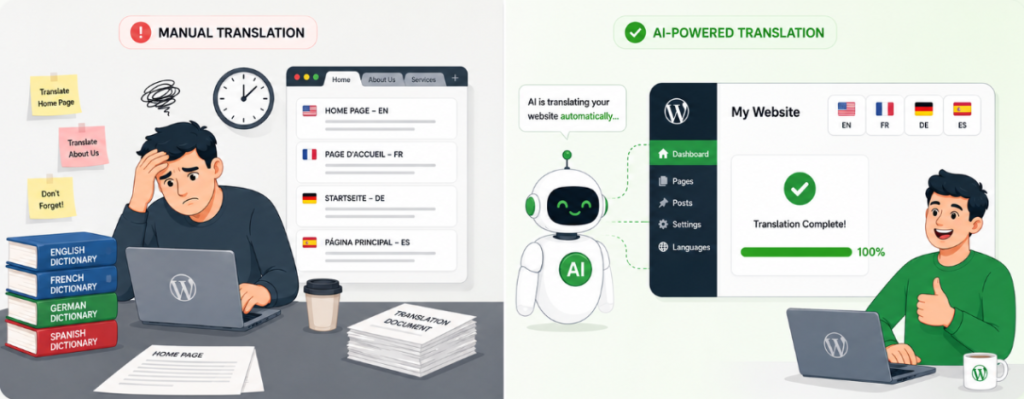
A lot of website owners try to translate every page, post, and product on their WordPress website manually.
This may seem like the safest option, but it becomes difficult to manage as your website grows. Every new blog post, product, or small content update also needs to be translated. Over time, this manual WordPress translation process takes more time, slows down your workflow, and increases costs.
This is exactly the kind of problem Linguator is designed to solve. Instead of translating every page yourself, you can use Linguator for AI-powered website translation to translate your content automatically. You can then review and edit the translation before publishing it. This keeps you in control of the final content while saving hours of manual translation work.
Mistake 2: Using Too Many Different Tools
Many people think they need one tool to translate content, another tool for translating menus, another for images, and yet another for keeping words consistent. Managing all these separate tools is confusing and time-consuming.
Linguator brings all of this into one plugin. From one dashboard, you can:
Translate pages and posts automatically using Google Translate, Chrome’s built-in AI, Google Gemini, or Microsoft Edge AI
Translate many pages, posts, or categories at once with the Bulk Translation feature
Translate just one sentence or heading using Inline Translation, without touching the rest of the page
Translate menus, images information, and product details from the same place
Instead of jumping between plugins, you do everything in one place. You can also pick a different AI provider depending on the content: something quick like Google Translate for a simple blog post, or Gemini when you want the translation to sound more natural and accurate.
Mistake 3: Forgetting About SEO
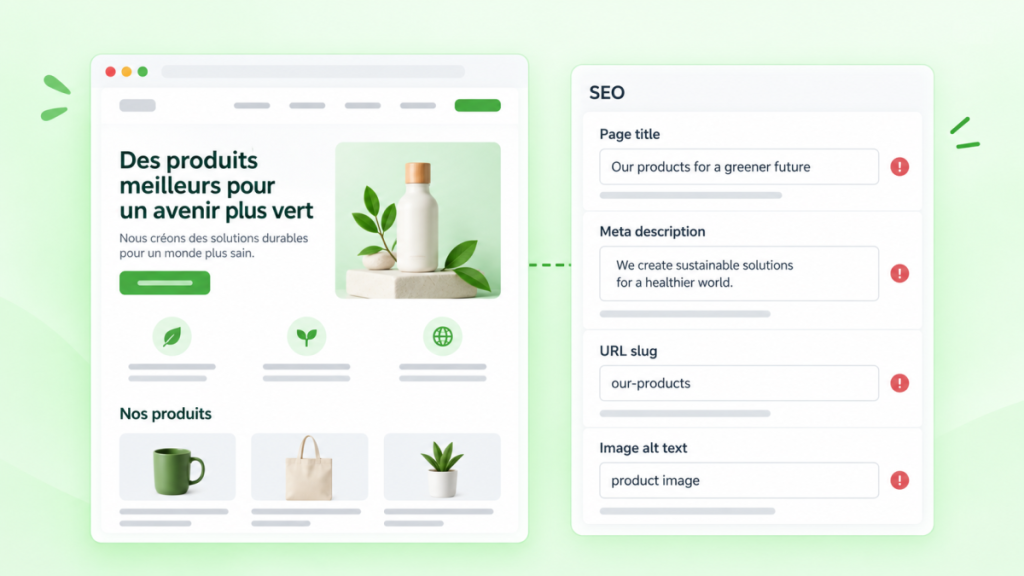
Many people translate their content but forget about SEO completely. Just changing the words is not enough for search engines to understand and rank your page properly.
Things that are often missed:
Page titles
Meta descriptions
URL slugs
Image alt text
A word that ranks well in English may not be the word people search for in French or Spanish. So it’s important to check what people actually search for in each language, not just translate word-for-word.
Linguator makes this part easier because it works well with popular SEO plugins like Rank Math and Yoast SEO. This means your translated pages keep clean URLs and proper SEO details for every language, instead of becoming pages that search engines struggle to understand.
Mistake 4: Forgetting to Translate Forms
Website owners often translate their pages and blog posts nicely, but forget to translate:
Contact forms
Sign-up forms
Search boxes
Newsletter forms
Checkout fields
Imagine reading a whole website in your own language, and then reaching a contact form that’s still in English. It feels broken, and many visitors will simply leave.
Everything a visitor can see or click should be translated, including:
Field labels
Placeholder text
Error messages
Confirmation messages
Mistake 5: Using Different Words for the Same Thing
This is one of the easiest mistakes to make, especially on bigger websites.
For example:
“Pricing” on one page, but “Rates” on another
“Support” in one place, “Help Desk” somewhere else
The same product feature described differently in different categories
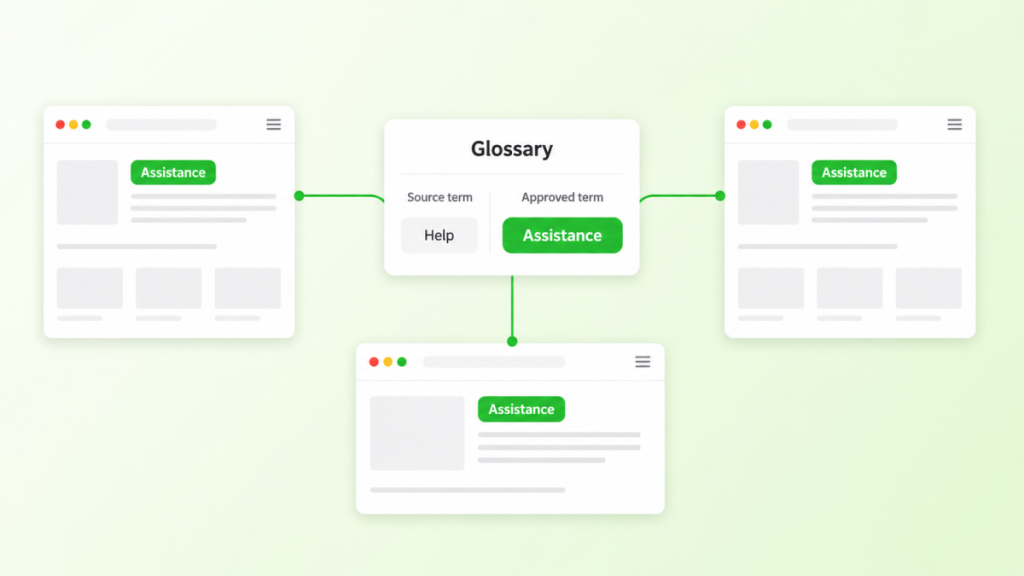
These small differences might not seem like a big deal, but they make your website feel unorganized and can confuse visitors.
The best way to fix this is to keep a list of important words and always use the same translation for them. Linguator has a built-in Glossary feature made exactly for this. You add a word once, along with how it should always be translated, and Linguator automatically uses that translation every time the word appears during bulk translation. You can even build the glossary as you go, right from a page you’re translating, and export it as a file to reuse on other websites.
This one feature alone can save a lot of back-and-forth fixing later.
Mistake 6: Forgetting Theme and Plugin Text
Along with your content, your website also has small pieces of text that come from your theme and plugins, such as:
Menu items
“Add to Cart” buttons
Login forms
Notifications
Widget titles
These are easy to miss because they aren’t part of your normal pages and posts.
Linguator help here too. Its Menu Sync feature lets you copy your main menu structure into other languages automatically, instead of rebuilding each menu by hand. It can also translate media details like image titles, captions, and alt text. And if you use custom blocks from other plugins that don’t translate automatically, Linguator lets you enable and translate those blocks as well, so nothing gets left in the wrong language.
Mistake 7: Forgetting About Culture, Not Just Language
Translating words correctly is not the same as making content feel local.
Some things people often forget to adjust:
Date formats
Currency
Units of measurement
Images and examples
Payment methods
A message that works well in one country might feel strange or even wrong in another. Real localization means thinking about how people in that country actually read, shop, and communicate, not just swapping the language.
Conclusion
Translating a WordPress website the right way can help you reach new visitors, increase traffic, and gain more customers. But it only works well when the translation process is handled carefully.
By avoiding common mistakes such as translating everything manually, ignoring SEO, forgetting forms, using inconsistent terms, and overlooking cultural details, you can create a multilingual website that feels professional in every language.
Tools like Linguator make the entire process much easier. Linguator is a completely free WordPress translation plugin that lets you use all of its features without paying for a premium plan. Download Linguator for free.
If you’re already using a multilingual plugin, you can also choose an AI translation addon built specifically for it. AutoPoly adds AI translation to Polylang, AutoTP works with TranslatePress, LocoAI adds AI translation to Loco Translate, and AutoMLP brings AI-powered translation to WPML. These addons make it easier to automate translations while continuing to use the multilingual plugin you already know. For those looking to use AI translation across different multilingual plugins, the Translation Plugins Bundle includes all four addons in one package.
Help & Support
Frequently Asked Questions (FAQs)
Quick, clear explanations to help you use AffiliateX with confidence.
01
Do I need to translate my entire WordPress website at once?
No. You can start with your most important pages, such as the homepage, top products, or popular blog posts, and expand to the rest of your content over time.
02
Will translating my website affect my SEO?
It can, but in a positive way if done correctly. Each language version should have its own optimized title, meta description, URL slug, and alt text. Poorly handled translations, like duplicate content or missing hreflang tags, can hurt rankings instead.
03
What’s the difference between multilingual and localization?
Multilingual simply means your content is available in more than one language. Localization goes further, adjusting details like currency, date formats, units of measurement, and cultural references so the content feels natural to visitors in that region.
04
Do translated pages need separate URLs?
Yes, generally. Search engines expect each language version to have its own unique, indexable URL (such as a subdirectory or subdomain), rather than showing translated content dynamically without a distinct URL. This also makes it easier for visitors to bookmark or share the correct language version.
05
How do I know which languages to add first?
Check your website analytics to see where your visitors are coming from and which languages they use. Search demand and competitor research can also help you prioritize which markets to target first.