


AffiliateX Email Reports helps Amazon, AliExpress, and eBay affiliates with a detailed overview of their affiliate product link performance, top-performing pages and links, platform and device breakdowns, and broken link alerts, all in one place. It helps affiliates analyze each affiliate website’s overall performance, putting them one step ahead by improving marketing strategies to drive more conversions and sales.
How to Get AffiliateX Email Reports
In this documentation, you will find out how Email Reports works and all other details in one place.
First of all, make sure you have installed and activated AffiliateX Free and AffiliateX Pro plugins on your WordPress site.
If you have already installed both plugins, navigate to AffiliateX> Email Reports to see four feature sections like Frequency, Recipients, Report Sections, and Test.
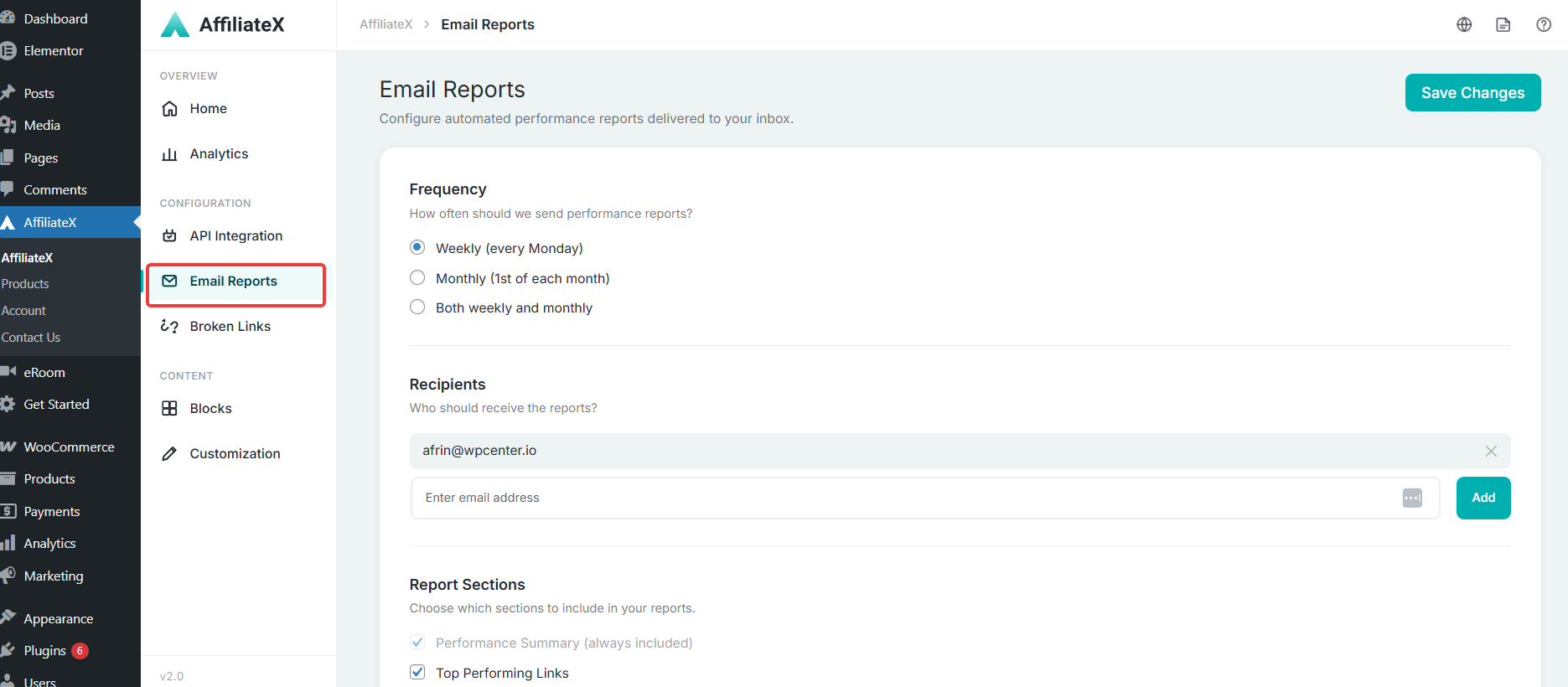
Frequency
AffiliateX Email Reports Frequency section helps you determine how often you should get the performance reports in your email. It could be weekly, monthly, or both as per your preference.
Recipients
In this AffiliateX Email Reports Recipients section, you can add as many recipients as you want, and according to your frequency setup, they will get the detailed performance report of your affiliate marketing site.
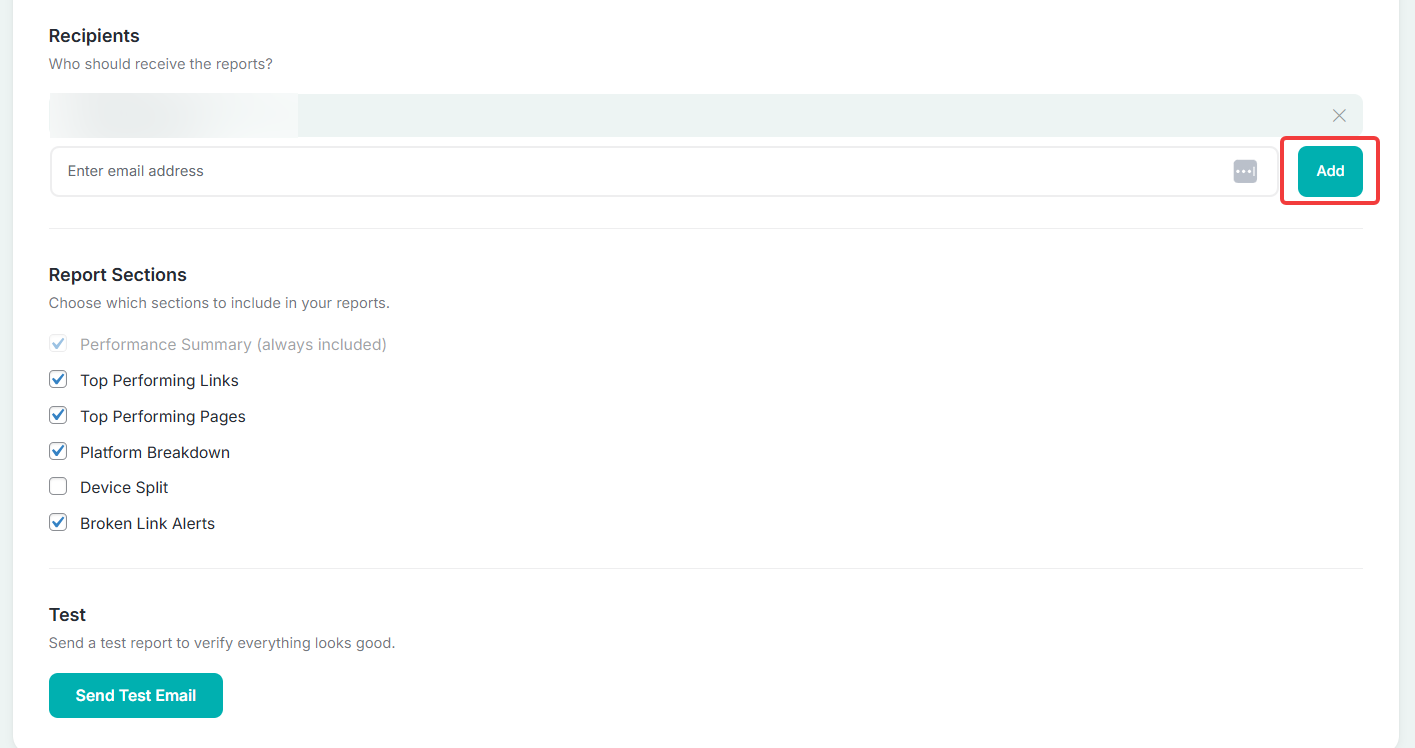
Report Sections
In AffiliateX Email Reports Sections, affiliates can choose which reports they want to receive from the list; by default, they will receive the affiliate product link performance summary report.
Other than that, top-performing pages and links, platform breakdown, device breakdown, and broken link alerts, as an affiliate, you can choose what data you want to get and be notified through email.
Test
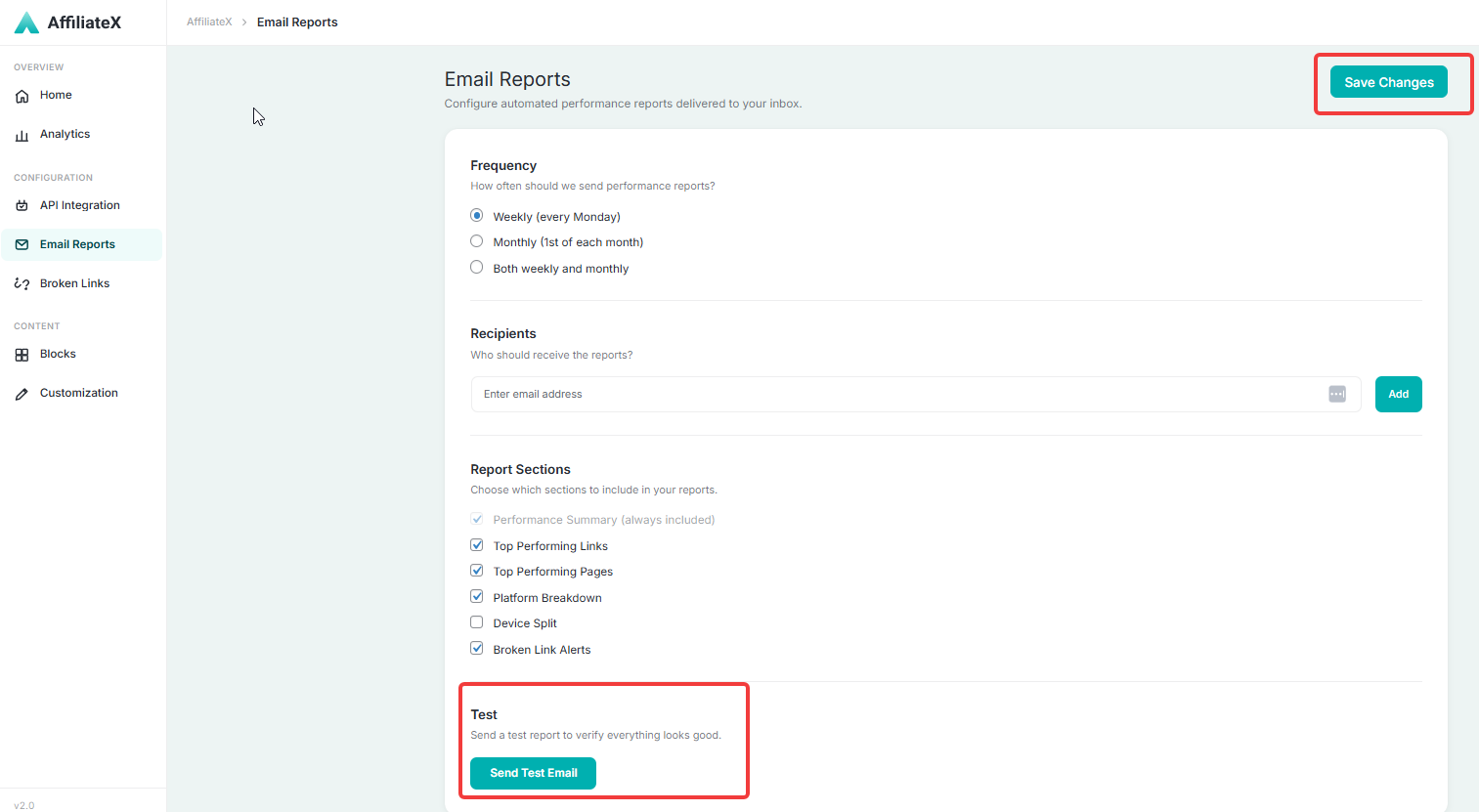
This AffiliateX Email Report Test section helps affiliates check overall performance data in their email first, then choose recipients who will receive the information, and customize report preferences.
After making all the changes, don’t forget to press the Save Changes button in the top right corner of AffiliateX Email report dashboard.
If you would like to explore more useful AffiliateX integration, features, or exclusive blocks, visit the AffiliateX documentation site for details.