If all your affiliate income comes from one platform, your earnings rise and fall with that platform’s rules, rates, and products. Smart affiliates spread their bets. Adding a second program gives you more products to recommend, more buyers to reach, and a safety net if one source slows down.
AliExpress is one of the best programs to add. It offers millions of products, many of them unique and low-cost items you simply won’t find on Amazon. And with the AffiliateX AliExpress integration, you can promote them using the same blocks and workflow you already use for Amazon, all inside WordPress. Here’s why it’s worth doing and how to set it up.
Before the setup, it helps to see what AliExpress brings to the table. The benefits are listed below.
Massive, unique catalog: AliExpress is packed with gadgets, accessories, hobby gear, and niche items that are hard to find elsewhere. If your content covers trending or specialized products, you will find plenty to recommend.
Second income stream: Earning from more than one platform protects you. If Amazon changes its commission rates or restricts your access, your AliExpress income keeps flowing.
Global program: AliExpress ships worldwide and is especially popular with international shoppers, so it pairs well with content that reaches a broad audience.
More ways to compare: Offering products from both Amazon and AliExpress lets you create richer comparisons and give readers more choice, which often leads to more clicks.
In short, AliExpress fills the gaps left by Amazon and adds a fresh revenue source. The integration makes promoting it just as easy.
What the AffiliateX AliExpress Integration Does
AffiliateX AliExpress integration connects your AliExpress affiliate account to your WordPress site. Once linked, you can add AliExpress products to your posts and pages and display them using the same AffiliateX blocks you use for Amazon, such as single-product boxes, tables, and comparisons.
That means no new workflow to learn and no messy manual linking. You can manage Amazon, AliExpress and eBay side by side with a single familiar plugin, keeping your entire affiliate operation in one place.
Setting Up in Two Phases with AffiliateX
Getting started has two parts. First, you join the AliExpress Affiliate Program, then you connect that account to AffiliateX. Take them in order, and it’s straightforward. You can check out this detailed documentation on AffiliateX AliExpress integration.
Phase 1: Join the AliExpress Affiliate Program
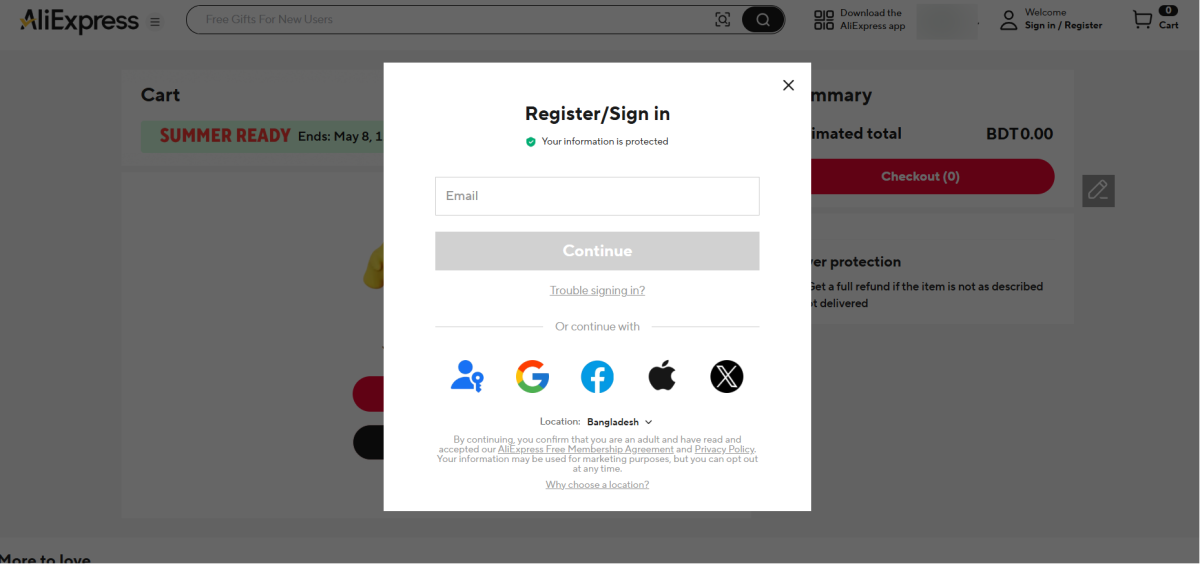
Step 1. Create a regular AliExpress account if you don’t have one. Go to aliexpress.com and sign up with your email or a Google or Facebook login. This basic account will later be linked to the affiliate program.
Step 2. Visit the AliExpress Affiliate Program at portals.aliexpress.com and click “Join Now” or “Sign Up” to open the registration form.
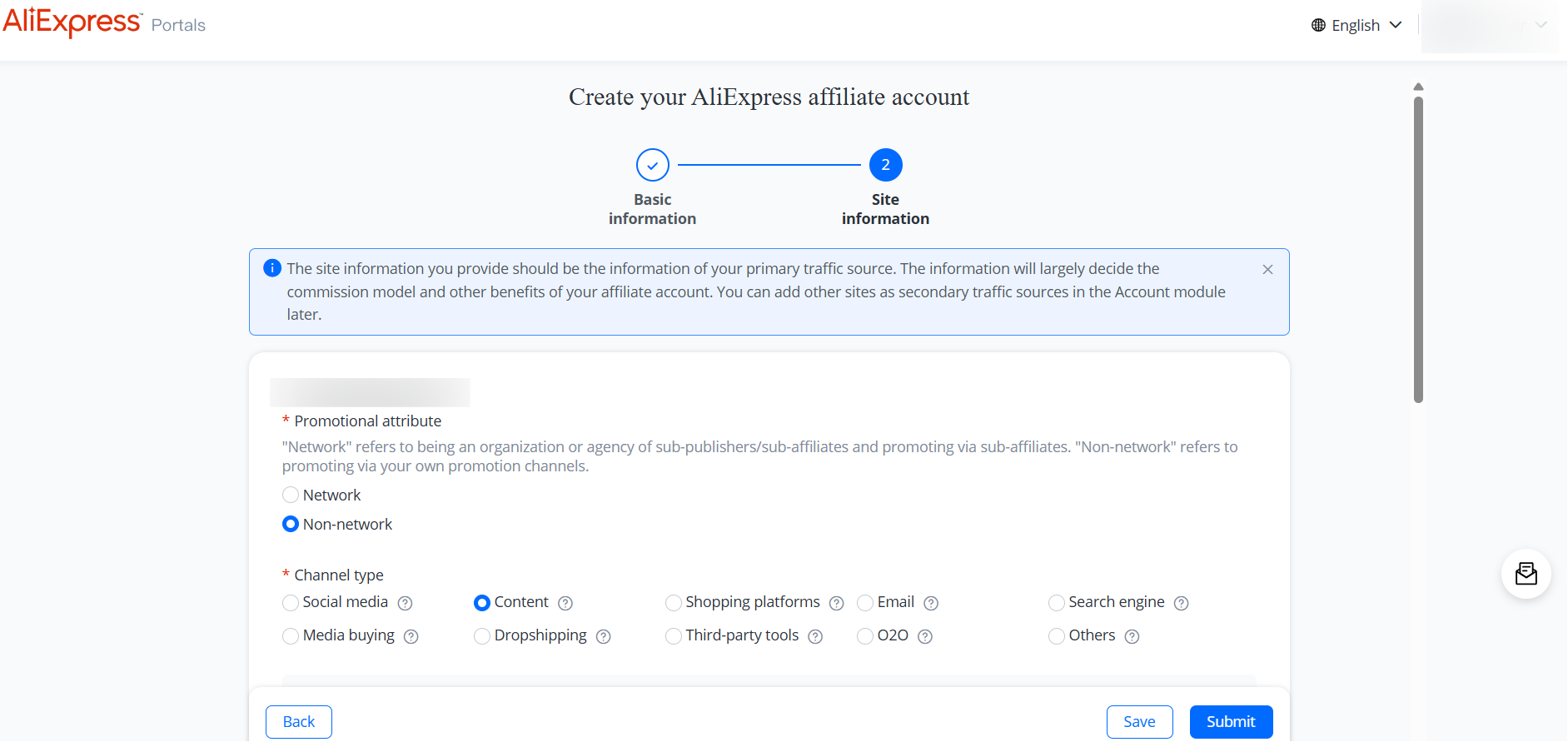
Step 3. Fill in your basic information and continue to the next step. You will then reach the Site Information section, where you complete the required fields and click Submit. Remember to agree to the Terms and Conditions before submitting.
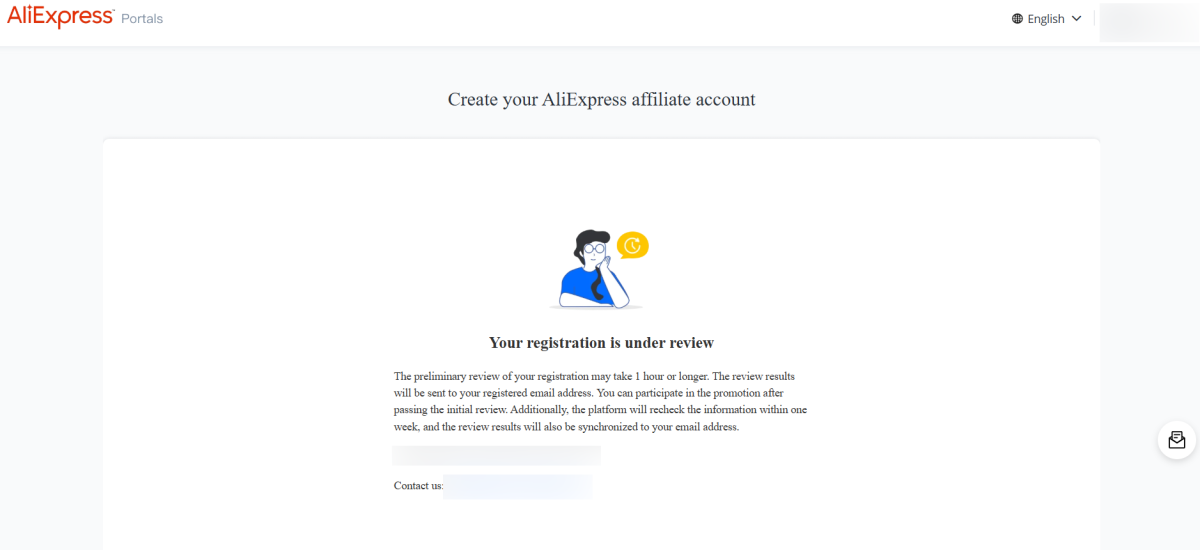
Step 4. Wait for approval. Once you are approved, you will get a welcome email and access to your affiliate dashboard. Log in, complete your publisher profile, your audience and niche, and add and verify a payment method, such as PayPal or bank transfer.
Phase 2: Connect Your Account to AffiliateX
With your affiliate account ready, you can link it to AffiliateX. Make sure AffiliateX is installed and active on your WordPress site first.
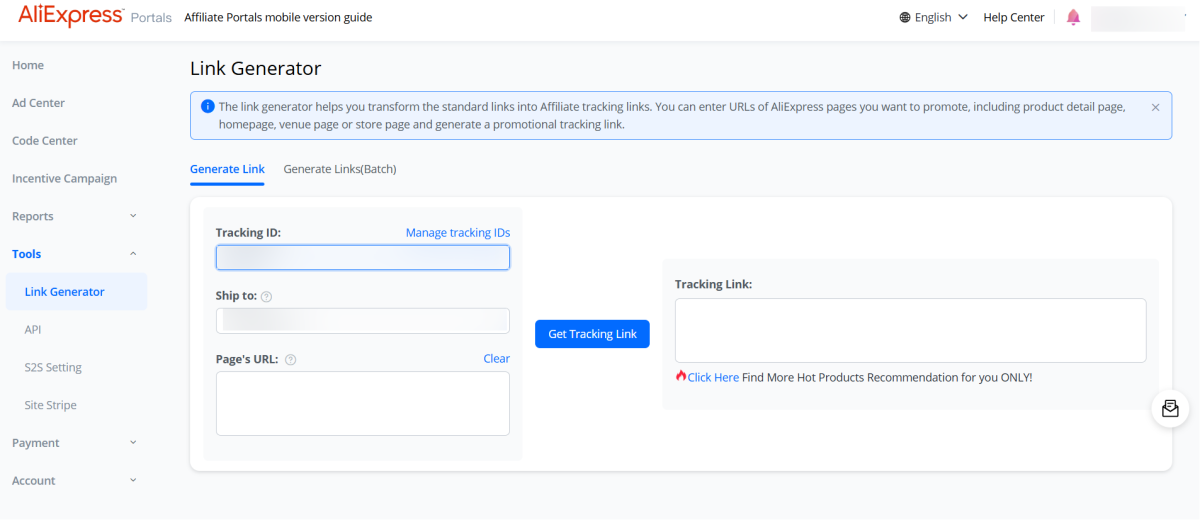
Step 1. Sign in to your AliExpress Affiliate Portals dashboard.
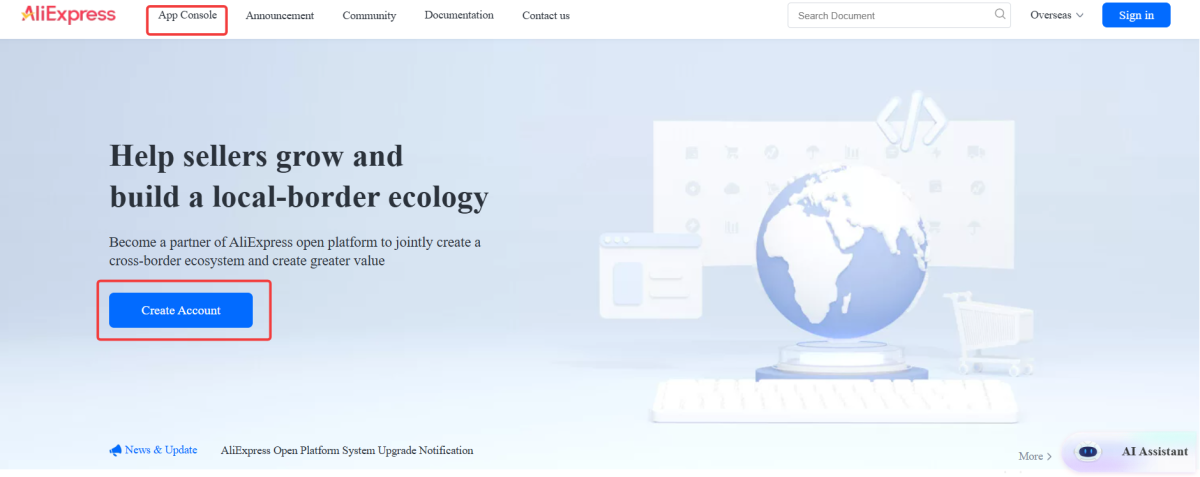
Step 2. Apply for API access. In the left menu, go to Tools > API and click “Apply Now.” This sends you to the Open Platform developer console.
Step 3. In the App Console, fill in the required information and submit. Once your app is created and approved, you can retrieve your credentials, your App Key and App Secret.
Step 4. Find your Tracking ID, the unique code AliExpress uses to credit your traffic. In your affiliate dashboard, go to Tools > Link Generator > Tracking ID.
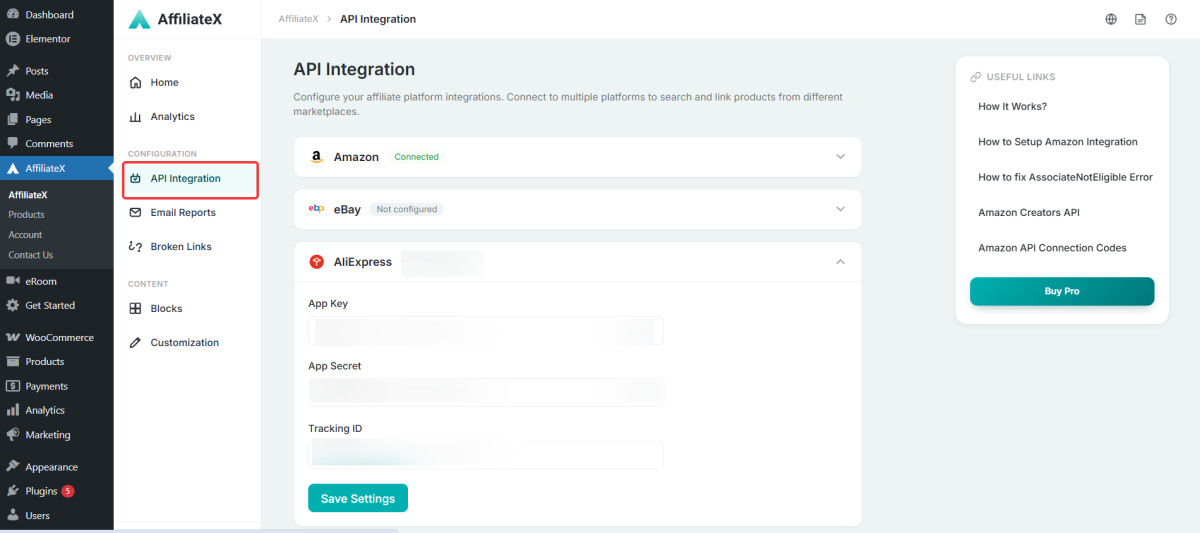
Step 5. Enter your App Key, App Secret, and Tracking ID into AffiliateX’s AliExpress settings. That completes the connection, and you are ready to start adding AliExpress products to your site.
For new AffiliateX users, you need to install and activate both the Free and Pro plugins to configure your AliExpress integration as an affiliate marketer.
Turning AliExpress Integration into Real Revenue
Connecting the account is just the start. Here’s how to make AliExpress actually grow your earnings.
Use AliExpress for the unique, hard-to-find items your readers want. Filling those gaps gives people a reason to click that they wouldn’t have had otherwise.
Show the same product type from both Amazon and AliExpress in a single comparison. More options can mean more clicks, and you earn either way.
Display AliExpress products with proven layouts like single product boxes, comparison tables, and pros-and-cons blocks, the same ones that work for your Amazon content.
Since AliExpress is popular worldwide, it’s a natural fit for international readers. If your analytics show overseas visitors, AliExpress links give them a strong option.
Watch which AliExpress products and placements perform, then do more of what works, just as you would with any affiliate link.
Final Thoughts on AffiliateX AliExpress Integration
Relying on a single affiliate program limits your growth and leaves you exposed if anything changes. Adding AliExpress through AffiliateX gives you a second income stream, access to millions of unique products, and a global audience, all managed from the WordPress setup you already know.
Join the AliExpress Affiliate Program, connect it to AffiliateX with your App Key, App Secret, and Tracking ID, and start featuring AliExpress products alongside your Amazon picks. With two strong programs working together in one plugin, you give your readers more to choose from and give yourself more ways to earn.
Afrin is a skilled Product Marketing Specialist passionate about WordPress products. She effectively combines her background in Telecommunication Engineering and her MBA in Marketing to bridge technology and marketing. Afrin transforms technical WordPress features into compelling, user-centric content that drives conversions and fosters engagement. In her free time, she enjoys traveling, animated movies, and singing, reflecting her creativity and adventurous spirit.