


The AliExpress Affiliate Program lets you earn money by promoting products on your affiliate website. With AffiliateX, you can integrate your AliExpress affiliate account and manage your affiliate marketing website in WordPress by following some simple steps.
How to Join AliExpress Affiliate Program
Below is a step-by-step guide to creating your AliExpress affiliate portal.
Step 1: First, you need to create a regular AliExpress account if you don’t already have one.
- Go to aliexpress.com
- Create an account with your email or use Google/Facebook sign‑in as per your preference. This gives you a basic AliExpress user account that will later be linked to the affiliate program.
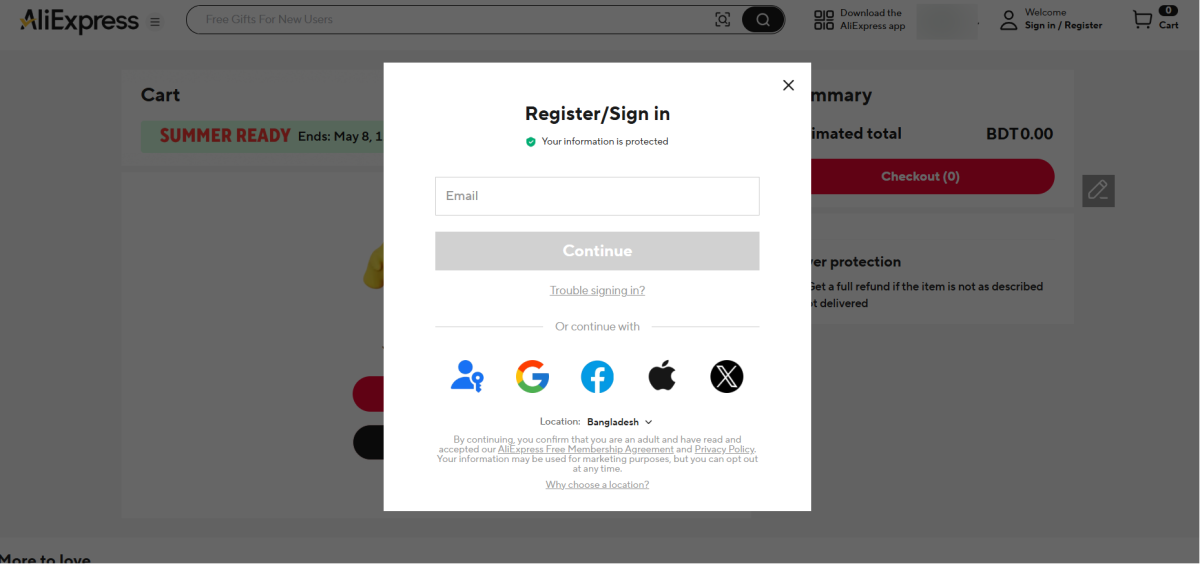
Step 2: After that, navigate to the AliExpress Affiliate Program. Click on the “Join Now” or “Sign Up” button. You will then be redirected to the registration form.
Step 3: Fill out the form for your new affiliate account: Basic information > Next Step.
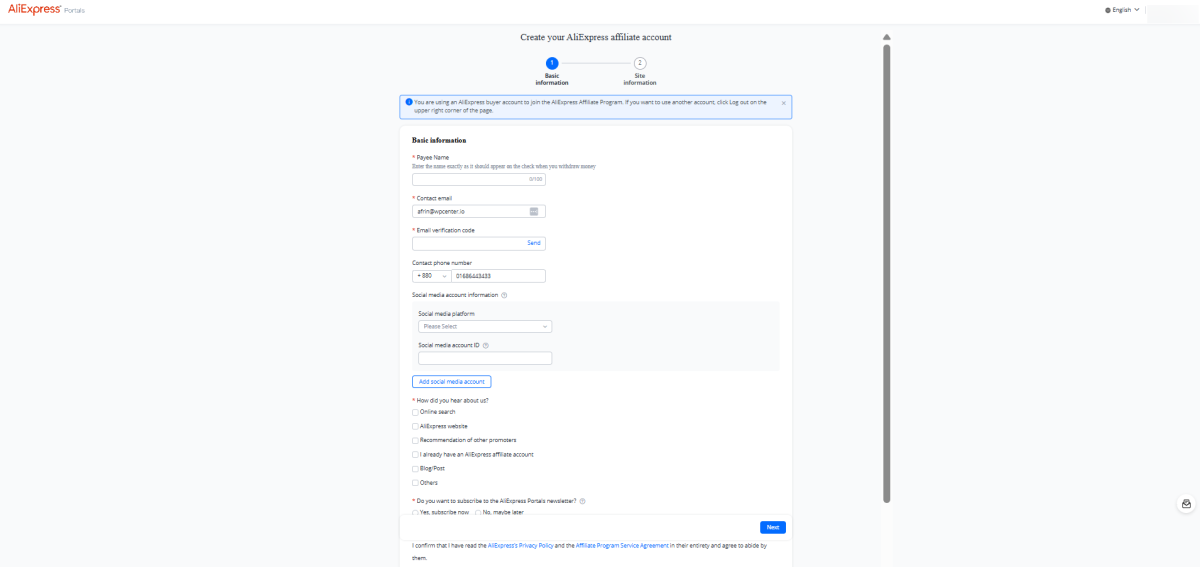
Afterwards, you will be redirected to the‘Site Information’ section, where you have to fill in all the required fields and hit the ‘Submit’ button.
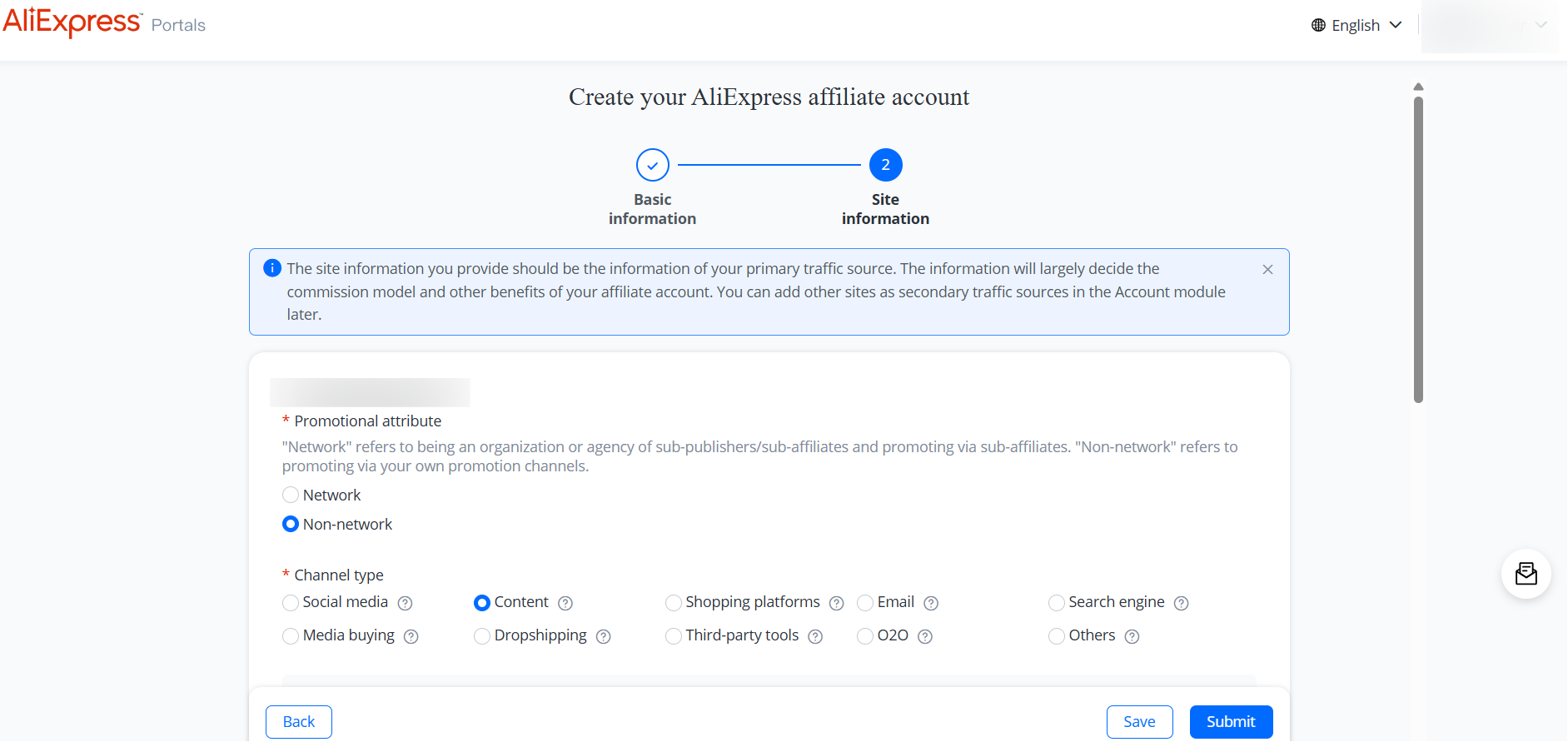
Note: When you fill in the basic information, you should agree to the Terms & Conditions, then proceed to the next step, and finally submit your application.
Step 4: Now wait for approval. Once approved, you will receive a welcome email and access to your affiliate dashboard.
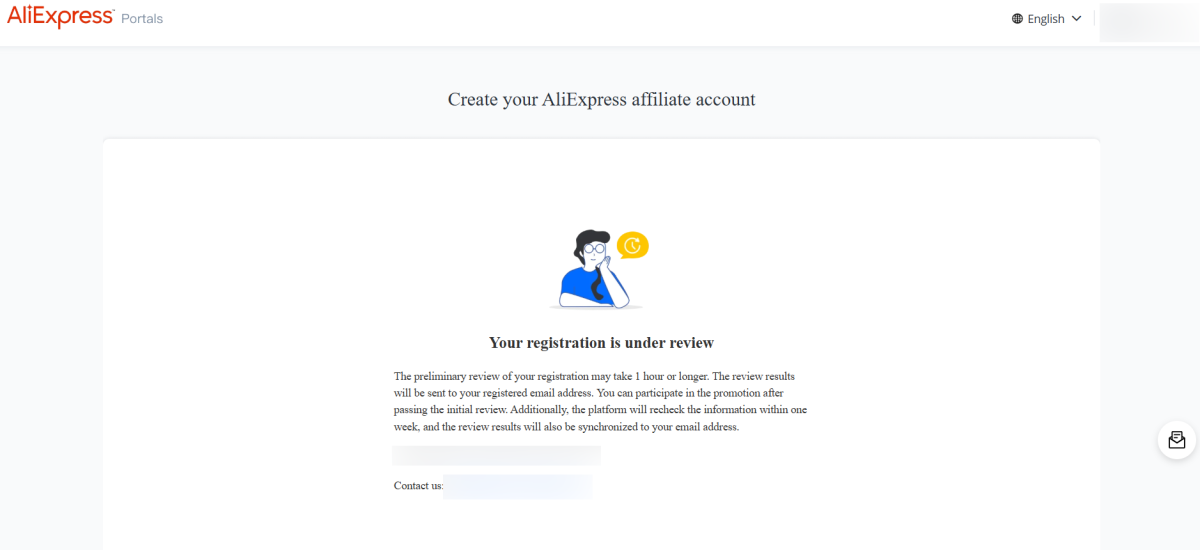
Now you should Log into the AliExpress Portals dashboard and complete your publisher/profile info (audience, niche). Also, you can add and verify your payment method (PayPal, bank transfer, etc.).
How to Configure Your AliExpress Affiliate Account with AffiliateX
In this section, you will find the steps to connect your AliExpress account to AffiliateX.
Step 1: Go to the AliExpress Affiliate Portals dashboard and sign in with the account you already created for affiliate promotions.
Step 2: Now you have to apply for API Access
- Find Tools > API in the left menu
- Click Apply Now (or similar) to request access to the affiliate API. This will redirect you to the Open Platform / Developer Console.
Step 3: Afterward, go to App Console. Once API access is approved, visit the Open Platform developer console. You need to fill in the required information and submit.
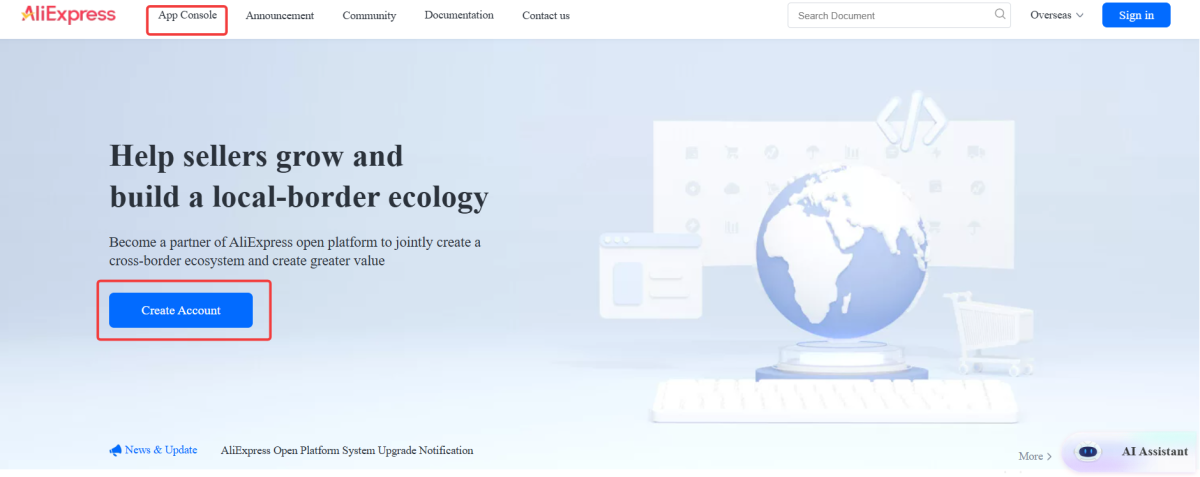
After your app is created and approved, you can retrieve credentials. Follow the official AliExpress documentation to get started.
Step 5. Finally, create or find your Tracking ID. Your Tracking ID is a unique code AliExpress uses to credit your affiliate traffic.
- Log Into AliExpress Portals
- Go to your affiliate dashboard again.
- Navigate to Tools > Link Generator >Tracking ID
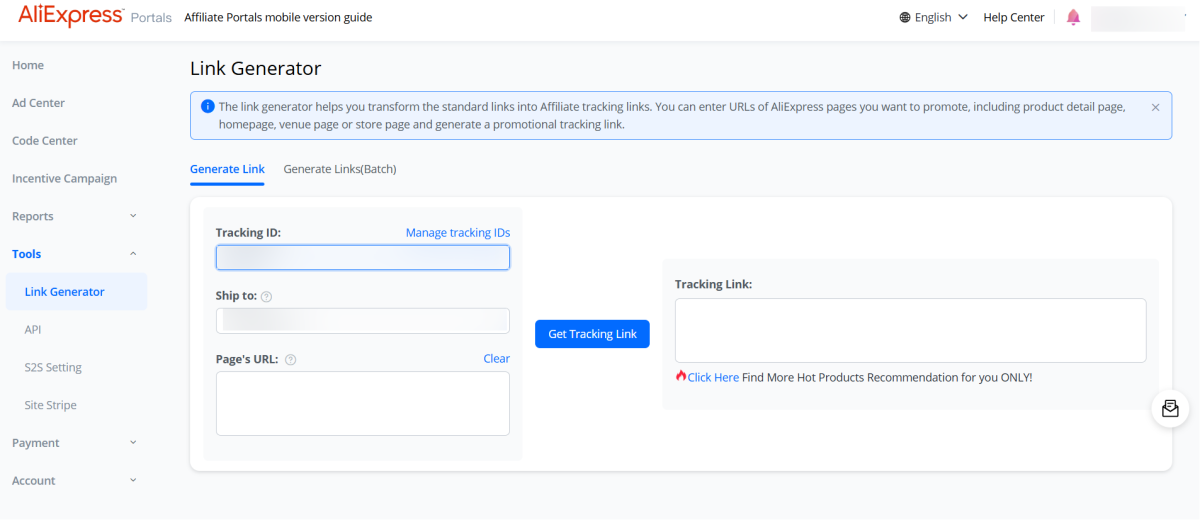
In that section, you will see a list of existing tracking IDs and the option to create a new one. As per your preference, you can use the existing one or create a new one to proceed.
Now that you have all the required information, navigate to your WordPress dashboard, AffiliateX > API Integration > AliExpress, enter the APP ID, App Secret, and Tracking ID, then Save Settings.
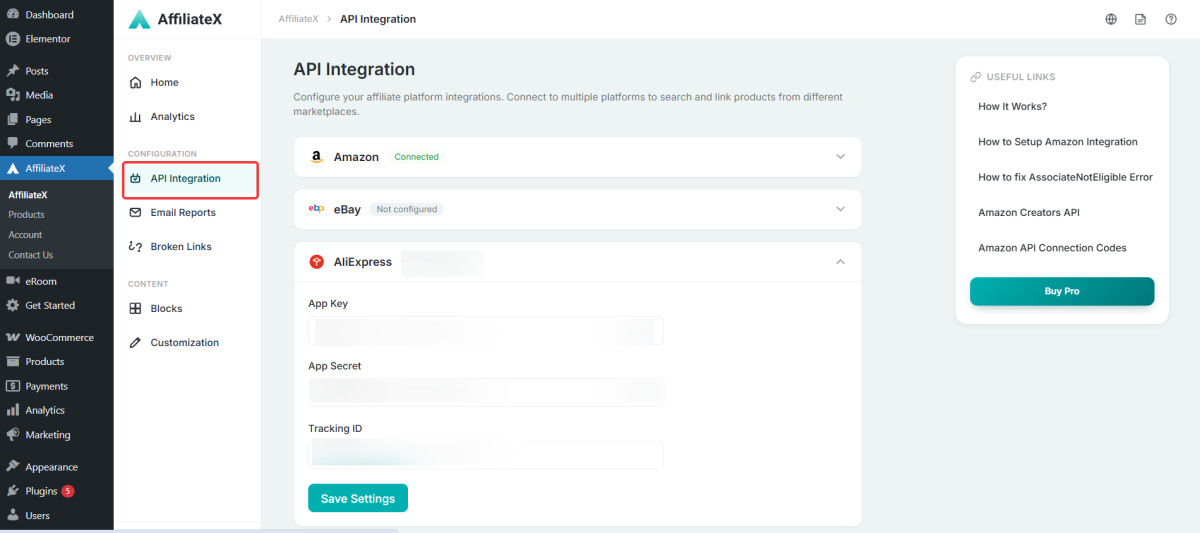
If all the information is correct, you will see the ‘Connected’ sign, get started with AffilaiteX blocks, start promoting your products, and generate sales on your affiliate site.
Note: If you are a new user of AffiliateX, you need to install and activate both the Free and Pro plugins of AffiliateX to configure your AliExpress integration as an affiliate marketer.
If you would like to explore more useful AffiliateX integration, features, or exclusive blocks, visit the AffiliateX documentation site for details.