In Amazon affiliate marketing, timing and accuracy are everything. You might spend hours writing a great review to help your readers make a purchase. But if someone clicks your link expecting a $50 gadget and sees it listed for $75 on Amazon, that price difference can quickly ruin the sale and damage your site’s reputation.
This is the downside of manually listing products. Old prices, outdated images, and broken links can quietly reduce your affiliate earnings and may even lead to Amazon’s compliance penalties.
That’s why this blog will show you how to achieve perfect Amazon product matching with AffiliateX Dynamic Listing.
What is AffiliateX Dynamic Listing?
The AffiliateX Dynamic Listing is the cornerstone feature for any Amazon affiliate focused on efficiency, compliance, and high conversions. It is not just a static display block; it is an intelligent, automated link to Amazon’s real-time product database.
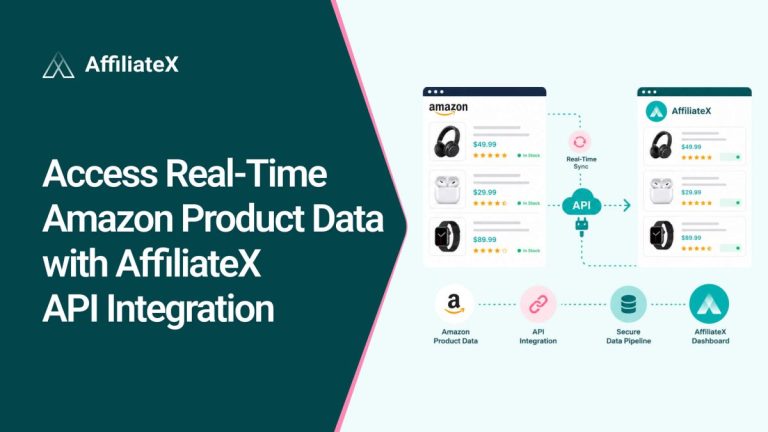
The AffiliateX Dynamic Listing block is a premium feature that pulls essential product details, including the title, current price, primary image, and affiliate link, directly from Amazon’s servers using your PA API credentials.
Rather than manually copying the title, image, price, and link, enter the product’s ASIN (Amazon Standard Identification Number) in the block. The block then uses Amazon’s API to fill in all the details instantly, so your WordPress site always shows information directly from Amazon’s live catalog.
Why Accurate Product Matching Matters for Amazon Affiliates
Accurate product matching and precise synchronization of product data between your site and Amazon are not luxuries. They are necessities that directly impact your user experience, revenue, and your site’s SEO health.
Improved User Experience (UX)
When your product information is accurate, users have a better experience and are more likely to trust your site.
Eliminates Disappointment
As mentioned before, if a user clicks a link expecting a $50 price but sees $75 on Amazon, it can quickly destroy your credibility. Perfect product matching makes sure the price your users expect is the price they find.
Builds Authority
If your site always shows up-to-date information, readers will see you as a reliable and professional source. This encourages them to return to your site and spend more time there, thereby improving your search engine rankings.
Better Conversion Rates
Products that are listed accurately and updated automatically are more likely to convert. Here are some key reasons why:
Higher Click-Through Rate (CTR)
A clear, updated Call-to-Action (CTA) button, paired with an accurate price and product title, directly drives clicks. Automated listings from AffiliateX Dynamic Listing ensure every element is optimized for conversion.
Reduced Friction in the Sales Funnel
The seamless transition from your recommendation to the exact Amazon product page minimizes the risk of user confusion or abandonment, directly increasing qualified sales.
Core SEO & Compliance Advantage
Google rewards sites that offer a fast, accurate user experience, and Amazon penalizes those that are non-compliant. The automation provided by the AffiliateX Dynamic Listing block not only saves you time but also improves your site’s technical performance and protects your revenue stream. The integration ensures three critical advantages:
Real-time Pricing & Compliance
Amazon’s policy is strict. If a price on your site doesn’t match Amazon’s, you are non-compliant. AffiliateX Dynamic Listing ensures daily updates, virtually eliminating this risk.
Speed & Performance
Built with modern React for the Gutenberg editor, AffiliateX blocks are incredibly lightweight. They eliminate the need for heavy page builders and unnecessary scripts, boosting your website’s loading speed, a critical SEO factor.
Auto-Image Fetch
The plugin imports images directly from Amazon with the correct linking structure, bypassing manual downloads and ensuring you meet Amazon’s image usage policies.
How to Use AffiliateX Dynamic Listing for Perfect Product Matching
You need to follow two steps to use AffiliateX Dynamic Listing block or element on your Gutenberg or Elementor site. First, set up your credentials, then deploy the block.
Setting Up Amazon API Sync in AffiliateX
To utilize the AffiliateX Dynamic Listing block, you must first connect to the Amazon Product Advertising API.
Obtain PA API Credentials
Ensure you have your Amazon Access Key, Secret Key, and Tracking ID (Associates ID). Remember, Amazon requires you to make at least three qualified sales within the first 180 days to maintain your API access.
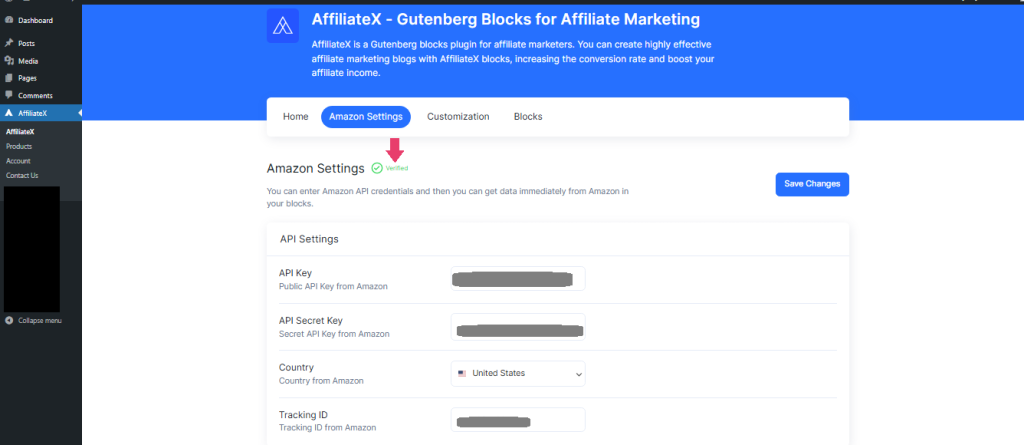
Navigate to Settings
From your WordPress Admin Dashboard, click on the AffiliateX plugin menu, then select Amazon Settings.
Input Credentials
Enter your Access Key and Secret Key, and select your Amazon country from the dropdown menu.
Verify Connection
Click “Save Changes.” AffiliateX will test the connection. A successful connection will display a “Verified” icon, confirming your Amazon API sync is live.
Perfect Product Matching with the AffiliteX Dynamic Listing
This is where you bring your product data to life within your content. In any WordPress post or page, click the + icon and search for the AffiliateX Dynamic Listing block.
Right there, you have the option to choose the AffiliateX Dynamic Listing template library, ready templates, and start your configuration.
Now, navigate to the Sort by section and select a drop-down option, such as Best-Selling Products or Featured Products. Afterward, configure the Search Keywords section and provide the correct keyword. For instance, here, “wireless headphones” is the keyword, and it automatically fetches data and sorts by featured.
You will see that the AffiliateX Dynamic Listing block automatically tracks data and updates the layout with the required information. You can also choose Layout Style, Number of Products options, and other effects to make the AffiliateX Dynamic Listing block interactive.
This is how easily you, as an Amazon affiliate, can set up and configure AffiliateX Dynamic Listing to automatically fetch and update product data on your affiliate marketing website. It will help you save your time and boost your affiliate sales.
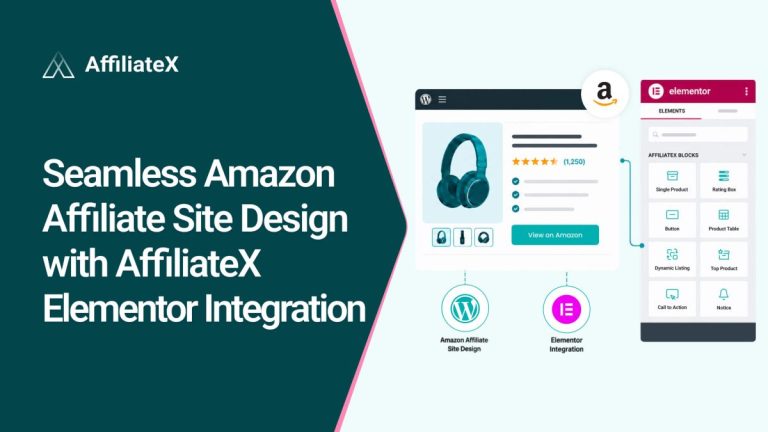
Similarly, you can perform perfect Amazon product matching with AffiliateX Dynamic Listing in your Elementor website builder using the Dynamic Listing element and following the same process. This time, we sort by “Best Sellers” items to apply the changes.
Benefits for Affiliate Marketers Using AffiliateX Dynamic Listing
AffiliateX Dynamic Listing is powerful because it automates your affiliate workflow:
Automated Product Matching: Enter the ASIN, and the block will automatically display the product title, image, link, and price; no need to search or enter data manually.
Seamless Amazon API Integration: The block connects directly and reliably with the Amazon PA API. This is key to compliance and ensures your data is updated daily.
Real-Time Pricing & Daily Updates: Prices change often, but this system updates your product pricing daily, which is essential for staying compliant and maintaining user trust.
Built-in Responsive Layouts: The block automatically displays dynamic data in layouts that convert well, such as product boxes and call-to-action buttons, and they look great on mobile devices.
Bonus: Zero API Mode: The AffiliateX Backup Plan
Many new affiliates struggle to meet the required three sales within 180 days to maintain their Amazon PA API access.
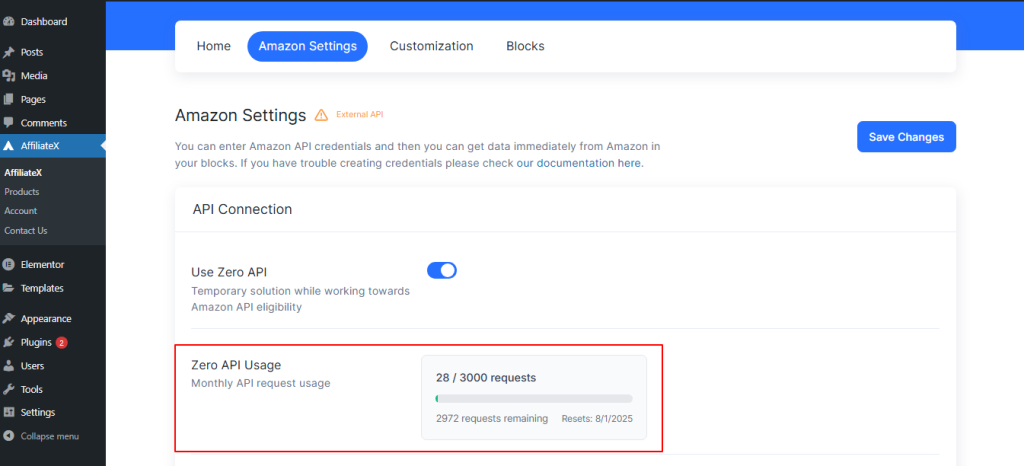
AffiliateX offers a solution: Zero API Mode. AffiliateX Zero API lets you get product data without needing API credentials. It’s designed to help new users start publishing right away and make their first vital sales.
Difference: Zero API is great for getting started, but AffiliateX Dynamic Listing with the PA API provides more frequent, reliable updates. Dynamic Listing is best for serious affiliate marketers, while Zero API is ideal for beginners.
Now It’s Your Turn to Try Out AffiliateX Dynamic Listing!
We have seen that accuracy is not a luxury in Amazon affiliate marketing. It is the foundation of trust, the key to compliance, and the primary driver of conversion. By adopting the AffiliateX Dynamic Listing block, you are moving past the risk of the ‘$75 mistake’ and embracing a truly automated, professional workflow.
You have successfully replaced the tedious, time-consuming manual data entry process with a system that performs daily, real-time synchronization with the Amazon PA API. This ensures:
Perfect Compliance: Your site consistently complies with Amazon’s strict pricing policies
Superior UX: You build immediate credibility with zero price shock for your users
Boosted SEO: Your site’s speed and reliability signal quality to search engines
Whether you rely on the robust, always-perfect Amazon product matching with Dynamic Listing with PA API, AffiliateX gives you an exclusive advantage. You are no longer managing data. You are maximizing sales.
Stop worrying about data obsolescence and start focusing on crafting better content. Implement the AffiliateX Dynamic Listing today and watch your affiliate revenue become as accurate and reliable as the data on your page.
Afrin is a skilled Product Marketing Specialist passionate about WordPress products. She effectively combines her background in Telecommunication Engineering and her MBA in Marketing to bridge technology and marketing. Afrin transforms technical WordPress features into compelling, user-centric content that drives conversions and fosters engagement. In her free time, she enjoys traveling, animated movies, and singing, reflecting her creativity and adventurous spirit.