Affiliate marketing has become a powerful way to monetize your WordPress website, but to succeed, you need the right tools. The key to efficient affiliate marketing lies in choosing the best WordPress affiliate management plugin. With so many options out there, it can be overwhelming to decide which one will meet your needs.
In this blog, you will get complete details of essential features to look for in an affiliate management plugin and explain why AffiliateX is one of the best options to help you grow your affiliate business seamlessly. Whether you are new to affiliate marketing or an experienced pro, selecting the right plugin can make all the difference in maximizing your revenue.
When choosing an affiliate management plugin for WordPress, certain essential features can significantly improve functionality and ease of use. Here’s what you should look for:
1. Seamless Amazon Integration
Your affiliate plugin should integrate easily with popular affiliate programs such as Amazon. This assists in streamlining product imports, tracking, and earnings management, helping you save time and effort. Whether you are adding Amazon products to your site or monitoring your affiliate commissions, seamless integration guarantees everything functions properly.
2. Eye-Catching Product Displays
A visually attractive display can help increase conversions and engage your audience. Look for a plugin that lets you customize how products are displayed. From grid layouts to carousel sliders, you want a plugin that enables easy design adjustments to keep your site fresh and attractive.
3. Simple Customization
Every affiliate marketer has different needs, so your plugin should allow for simple customization choices. Whether it’s adjusting the appearance of your links, setting up landing pages, or fine-tuning affiliate commission structures, customization flexibility is essential to match your unique marketing strategy.
4. Smart Link Management
Efficient link management is important for tracking and maintaining affiliate links. The best affiliate management plugin should provide smart link management features, like the ability to cloak or redirect links, add tracking codes, and view real-time statistics. These tools help improve link performance and avoid broken or outdated links.
5. Reliable Updates
A regularly updated affiliate management plugin that’s key to keeping your site secure and functional. Regular updates guarantee compatibility with the latest WordPress versions, improve security, and add new features that may enhance your affiliate marketing strategy. Be sure to select a plugin with a proven track record of consistent and reliable updates.
6. Top-Notch Support
When issues arise, responsive customer support is valuable. Look for a plugin that offers excellent support, whether it’s through live chat, email, or a knowledge base. Having access to reliable customer service can help you quickly resolve problems and ensure your affiliate operations stay smooth.
7. Affordable Pricing Plans
While premium affiliate management plugins provide advanced features, it’s important to choose one that provides good value for your investment. Look for pricing plans that grant flexibility, so you only pay for what you need. Some plugins also offer tiered pricing, allowing you to upgrade as your business grows and ensuring scalability without breaking the bank.
Key Features to Evaluate Before Choosing
Selecting the right affiliate management plugin is crucial to the success of your WordPress affiliate marketing. To make an informed choice, here are some essential features to evaluate before making a decision:
1. Easy Installation & Setup Process
A fully-functional affiliate plugin should be easy to install and set up, especially if you are new to WordPress or affiliate marketing. You should look for a solution that offers a simple, user-friendly installation process with clear step-by-step instructions. This will save you time and hassle, allowing you to get started without technical expertise quickly.
2. Auto-Updates
To keep your website running smoothly and securely, your affiliate plugin should offer automatic updates. This feature ensures your plugin stays up to date with the latest features, bug fixes, and security patches without requiring manual intervention. Auto-updates help reduce the risk of outdated plugins causing compatibility issues or security vulnerabilities.
3. Custom Blocks
Custom blocks allow you to tailor your affiliate content and design, making it easier to create unique, branded elements on your site. A plugin with customizable blocks lets you control how your affiliate products are displayed, whether it’s through specific product grids, banners, or testimonials. This flexibility enhances the user experience and can boost engagement with your audience.
4. Powerful Integration
Before selecting an affiliate management solution, check that it integrates seamlessly with various affiliate networks, eCommerce platforms, and tools. Powerful integrations let you connect your affiliate management system to platforms such as Amazon, ClickBank, and other niche programs. This ensures that your affiliate tracking, payments, and reporting are automated and accurate, making your operations more efficient.
5. Geolocation Targeting
Geolocation targeting helps you serve relevant products to visitors based on their location, improving the chances of conversion. With this feature, you can display different affiliate products or offers to users in specific regions or countries, ensuring you target the right audience with the right deals. This localized approach enhances the customer experience and can increase affiliate revenue.
6. Seamless API Integration
While many affiliate plugins offer built-in integrations, a great one should also provide seamless API access, enabling you to connect with other tools and systems you use. This makes it easy to expand your plugin’s functionality and integrate it with custom solutions. With seamless API integration, your plugin will work smoothly with other applications without requiring complex configurations.
Get AffiliateX – Best Affiliate Management Plugin for WordPress
Are you looking to supercharge your affiliate marketing efforts and streamline your website’s product displays? AffiliateX is the ultimate affiliate management plugin for WordPress, designed to help you easily manage your affiliate products, optimize your content, and increase conversions, all without the need for coding skills.
Whether you are just getting started with affiliate marketing, AffiliateX offers everything you need to create professional, high-converting affiliate content. With its seamless integrations, customizable blocks, and performance optimization, AffiliateX is the best choice for anyone serious about growing their affiliate business.
AffiliateX Key Features to Look At
AffiliateX gives many useful features to improve your affiliate marketing tactics. Here’s a closer look at what it offers:
Amazon Product Integration: AffiliateX makes it easy to add Amazon product links to your WordPress site. You don’t have to add links by hand anymore. The plugin lets you quickly insert Amazon links into your posts and pages and automatically links keywords and product names to the correct Amazon listings. This saves you time and helps you make the most of every chance to earn.
Customizable Affiliate Widgets: AffiliateX gives you widgets you can customize to show Amazon products in a way that fits your site’s design. You can create displays that catch visitors’ attention and encourage them to click your affiliate links. You can also adjust how these widgets look to match your brand and website style.
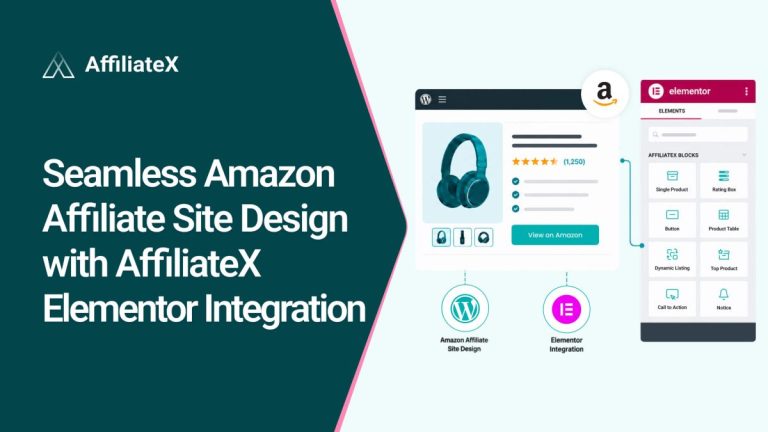
Integration with Gutenberg & Elementor: AffiliateX works smoothly with the WordPress Gutenberg block editor and Elementor. You can easily add products and affiliate links right into your posts and pages. Instead of using shortcodes like other plugins, AffiliateX uses block-based elements that are faster and more efficient. This makes the plugin easy to use and helps keep your site running smoothly.
Responsive Design & Ready Templates: All blocks are fully responsive, so your Amazon affiliate site looks good on any device. This helps with SEO and improves the visitor experience. Each block also comes with a ready-made template, so you can quickly choose a design, customize it, add links, and finish in minutes.
Amazon API Advantage: AffiliateX uses Amazon’s Product Advertising API to keep product prices and availability updated in real time. The plugin automatically updates this information on your site, so visitors always see the latest details. This is important to comply with Amazon’s rules, which require you to display current prices.
“Zero API” Mode: If you are new and don’t have an Amazon API key yet, AffiliateX has a “Zero API” mode. You can still use most features, such as customizable widgets and automatic linking, without an API key. This makes AffiliateX easy to use for both beginners and experienced affiliates.
Auto-Linking & Real-Time Pricing: AffiliateX links keywords in your content to Amazon product listings automatically, so you don’t have to create links by hand. It also updates product prices in real time, keeping your links accurate and in line with Amazon’s rules.
Geolocation Target: AffiliateX can help you make more international sales by supporting region-based affiliate links. It detects where your visitors are and provides a link to the correct Amazon store for their country. This way, users always get the most relevant product links, which can boost your conversion rates.
AffiliateX Installation and Setup Steps
Now that you have a detailed review of AffiliateX, in this section, here’s how to connect your Amazon affiliate store and set up your API key.
Step 1: Install, Activate & Configure AffiliateX
If you want to insert an Amazon product link in WordPress using AffiliateX, first install and activate the plugin on your site. After installation, navigate to AffiliateX and open the Customisation settings. AffiliateX works with Gutenberg, Elementor, and any WordPress theme.
Step 2: Connect Your Amazon Associates Account
Next, you should connect your Amazon affiliate WordPress site to your Amazon Associates account to start earning commissions. If you haven’t signed up yet, join Amazon Associates for free. After you are approved, go to your dashboard to get your affiliate links and API keys. API keys let AffiliateX pull real-time product information, keeping your store up to date and in compliance with Amazon’s guidelines.
In WordPress, open AffiliateX Settings, enter your API details, and click ‘Save Changes’. Your site is now connected to Amazon, so you can add products easily without manually updating them.
Zero API lets you add Amazon product links and content easily, even if you haven’t set up the API yet.
Zero API feature is for people who don’t yet have access to Amazon’s Product Advertising API, such as new affiliates or those who want to avoid API limits and errors. Just enable the option and do a quick setup to get started.
Step 3: Configure AffiliateX Blocks
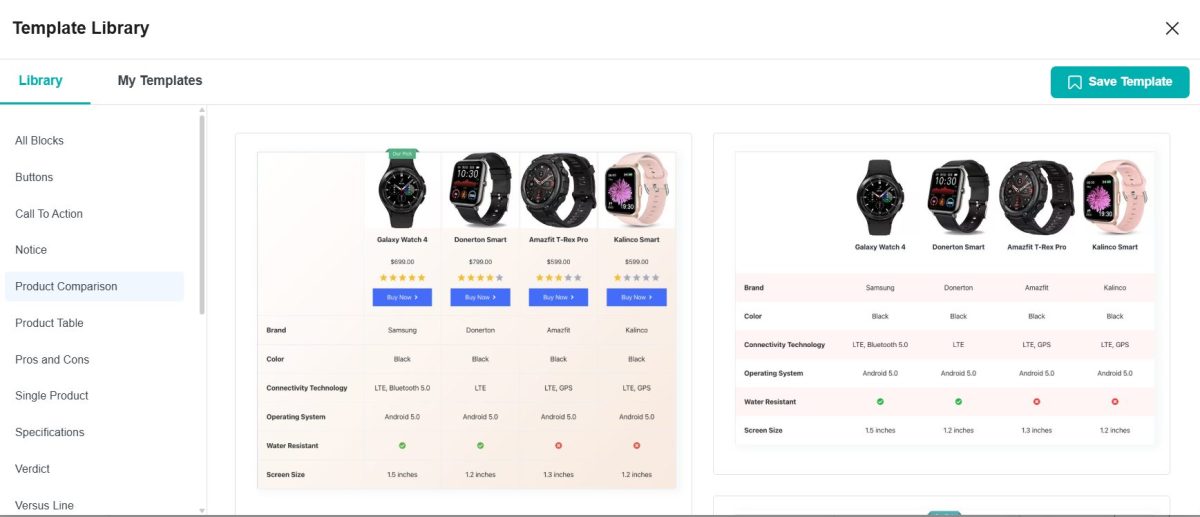
If your affiliate website uses the Gutenberg editor, you can use AffiliateX blocks to create an interactive Amazon affiliate sales landing page without any coding. You can also add Comparison Tables, Single Product Blocks, Versus blocks, and more to your affiliate blogs to boost your commissions during sales or at any time.
You can use ready templates for each block. Just pick your favourite layout and start designing your Amazon affiliate site for holiday sales. You don’t need to start from scratch.
You can also automatically add product data by connecting to the product API and easily set up product updates, helping you follow Amazon Affiliate Program rules. Check out the detailed documentation to learn how to use the Amazon API in the Gutenberg Editor with AffiliateX.
For example, with AffiliateX Single Product blocks, just connect your Amazon Affiliate link, search for the product you want, click it, and add it to your site.
It will then pull in the data automatically and show you a list of updates. You can check and update things like the product image, title, price, description, and button links.
AffiliateX Dynamic Listingblock helps you display your Amazon affiliate products sorted by section and category, and select a drop-down option, such as Best-Selling Products or Featured Products, by entering the preferred Search Keywords for your affiliate product. It will automatically pull your product name based on the selected type.
In addition, you can enjoy another bunch of amazing Amazon Affiliate blocks that help you manage your affiliate sites and make it the way you want to engage your potential customers and active customers to escalate your affiliate commissions and earn maximum revenue in one instance.
Use Cases: When AffiliateX is the Best Choice
AffiliateX is a versatile affiliate management plugin that can cater to a wide range of affiliate marketers. Here are some scenarios where AffiliateX would be the best choice:
1. Amazon Affiliate Websites
AffiliateX is an excellent choice for Amazon associates looking to monetize their websites with affiliate links. With its seamless Amazon integration, you can easily display Amazon products with accurate data, including pricing, descriptions, and images. Whether you are building a product review site or a niche affiliate blog, AffiliateX streamlines the process and ensures your product displays are both appealing and up-to-date.
2. Content-Rich Affiliate Blogs
If you run a content-heavy affiliate blog that reviews multiple products or creates comparisons between products, AffiliateX’s customizable blocks (like product grids and comparison tables) allow you to create visually appealing and informative content quickly. The plugin’s easy-to-use customization options also help maintain a consistent brand image without requiring coding knowledge.
3. Conversion-Focused Landing Pages
For marketers who focus on conversion optimization, AffiliateX provides high-converting blocks such as call-to-action buttons and product showcases. If your goal is to increase your click-through rate (CTR) and ultimately boost conversions, the built-in elements in AffiliateX will ensure your landing pages are designed for maximum impact.
4. Multi-Niche Affiliate Websites
AffiliateX is also ideal for websites targeting multiple niches. Whether you are reviewing electronics, health products, or home goods, the plugin’s flexible product displays and customization options allow you to create niche-specific affiliate content that appeals directly to your audience. You can even use geolocation targeting to serve relevant products based on your visitors’ location.
5. Affiliates Looking for Speed and Efficiency
If you are in a hurry to launch your affiliate site or just want to save time managing your products, AffiliateX’s Zero API mode is a game-changer. You don’t have to worry about the lengthy approval process for Amazon’s API, yet you can still create dynamic product displays with ease.
Comparison 2026: Why AffiliateX is the Best Affiliate Management Plugin for WordPress
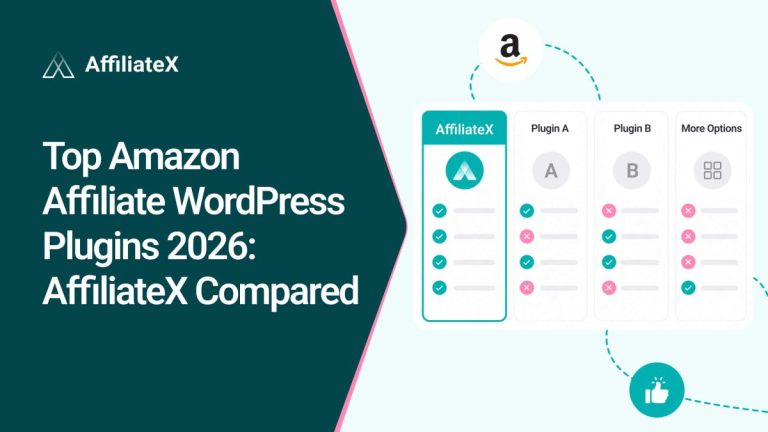
When it comes to affiliate management plugins for WordPress, there are several options available. To help you make an informed decision, here’s a 2026 comparison table outlining why AffiliateX stands out as the best choice for many affiliate marketers:
Feature
AffiliateX
Other Plugins
Amazon Integration
Seamless integration with Amazon API for live product data
Limited or manual product imports
Customization
Highly customizable blocks with easy drag-and-drop
Limited customization options for block displays
Ease of Use
Simple setup with a user-friendly interface
Can be complex or require coding knowledge
Support
Excellent customer support with quick responses
Varied support quality; some plugins offer limited support
API Integration
Zero API mode for quick setup; full Amazon API support (Pro version)
Manual setup required for most plugins
Geolocation Targeting
Built-in geolocation targeting for region-based product recommendations
Not always available or requires third-party tools
Pricing
Affordable with a free version and competitive Pro pricing
It can be more expensive for premium features
Speed & Performance
Lightweight with fast page load times
May impact site speed due to heavy code or unnecessary features
Regular Updates
Frequent updates and feature enhancements
Inconsistent updates or slow to adapt to WordPress changes
Built-in Blocks
Pre-designed blocks for product displays, comparisons, and more
Often requires third-party plugins or customization for product displays
Final Thoughts: Choose Best Affiliate Management Plugin for WordPress
Choosing the right affiliate management plugin for your WordPress site is critical to the success of your affiliate marketing efforts. By focusing on key features such as integration with affiliate networks, customization options, and performance tracking, you can streamline your operations and increase conversions.
AffiliateX offers all these benefits and more, making it an excellent choice for anyone serious about building a profitable affiliate marketing business. With its user-friendly setup, real-time pricing updates, and powerful customization options, AffiliateX is designed to support you at every stage of your affiliate journey. Choose the right affiliate management plugin today and start seeing better results in your affiliate marketing.
Afrin is a skilled Product Marketing Specialist passionate about WordPress products. She effectively combines her background in Telecommunication Engineering and her MBA in Marketing to bridge technology and marketing. Afrin transforms technical WordPress features into compelling, user-centric content that drives conversions and fosters engagement. In her free time, she enjoys traveling, animated movies, and singing, reflecting her creativity and adventurous spirit.