Plenty of affiliates publish content, drop in their links, and then simply hope. They don’t really know which pages pull their weight, which links get ignored, or where their best visitors come from. Without that knowledge, growing your income becomes guesswork, and guesswork is slow.
AffiliateX changes that with built-in Analytics. Right inside your WordPress dashboard, you can see exactly how every affiliate link performs, no third-party tools required. This post covers what the Analytics feature shows, what each number means, how it will track your Amazon affiliate performance, and how to use it to earn more.
A click is the clearest signal you can have as an affiliate. It tells you that a reader trusted your recommendation enough to act. When you track clicks closely, vague hopes turn into clear facts you can build on.
Tracking shows you which content actually drives interest so that you can create more of it. It reveals weak spots, like a page with traffic but few clicks, so that you can fix them. And it helps you understand your audience, so you design your site around how people really behave. In short, good data lets you put your effort where it pays off most.
AffiliateX Analytics Built Right Into Your Dashboard
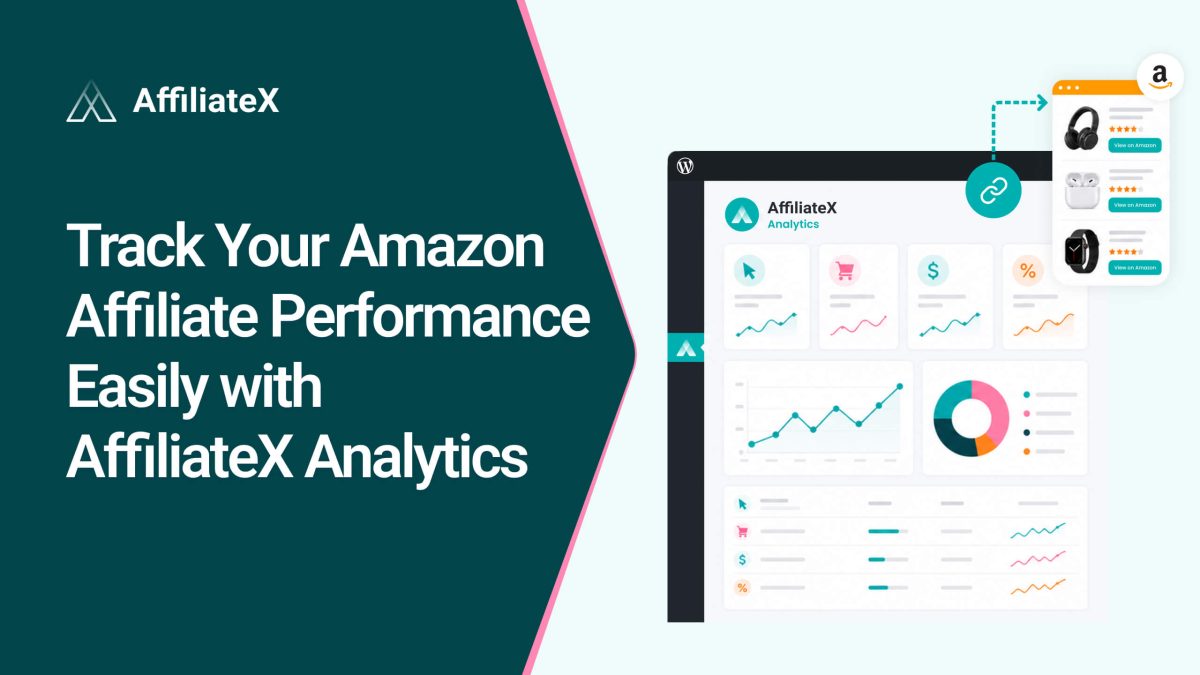
AffiliateX Analytics is a built-in tool that gives you a detailed view of your affiliate link performance. It tracks every link click and organizes the results into clear, interactive reports. It covers Amazon, AliExpress, and eBay, so every platform you use shows up in one place.
The Overview tab’s interactive graphs show your link-click performance across key metrics: Total Clicks, Unique Clicks, click-through rate (CTR), the overall Trend, and Today’s Clicks.
You can sort all of this by Today, 7 days, 30 days, or 90 days, or set a custom date range to study any period you like. But if you want the raw data, an Export option lets you download everything for deeper analysis.
The tab also highlights your Top Links and Top Pages, the links and pages your visitors click most, complete with performance details. This is the fastest way to understand your Amazon affiliate performance with AffiliateX Analytics.
Links
The Links tab zooms in on individual links. As with the Overview, you can sort by Today, 7, 30, or 90 days, or by a custom range.
If you promote products across several platforms, you can sort your links by platform, Amazon, eBay, or AliExpress, or use the Manual option to study them your way. There’s also a Search URLs bar, so you can pull up any specific link, check how it’s doing, and work on improving it. This is where you turn individual links into better performers.
Breakdown
The Breakdown tab answers the “who and how” of your traffic. Again, sortable by your chosen date range, it shows statistics for Device, Platforms, Browsers, Block Types, and Top Referrers, all in one view.
These details tell you whether your clicks come mostly from phones or desktops, which AffiliateX blocks earn the most clicks, and which sites send you your best traffic. That insight helps you design and promote smarter.
What Your Analytics Metrics Mean
Analytics is only useful if the numbers are clear. Here’s what the main ones mean, in plain terms.
Total Clicks is every click your affiliate links received in the period, your overall activity.
Unique Clicks counts individual visitors who clicked, so repeated clicks from the same person don’t inflate the figure. It’s a truer measure of reach.
CTR (click-through rate) is the share of viewers who actually clicked. A higher CTR means your links and placements are doing their job.
Trend shows whether your clicks are rising or falling over time, so you can see if your changes are working.
Today’s Clicks is a quick pulse on the current day’s activity.
Block Types show which AffiliateX blocks, such as comparison tables or single product boxes, receive the most clicks.
Top Referrers reveal which websites send you the most visitors who click.
Turning Analytics Data Into More Sales
Numbers matter only when you act on them. Here’s how to put your Analytics to work.
Focus on your best content: Use Top Links and Top Pages to find what’s working, then expand those pages, refresh them, or feature them more prominently.
Fix low-CTR spots: If a page gets traffic but few clicks, improve the link placement, the wording, or the block type until more people click.
Design for your devices: If the Breakdown shows most clicks come from mobile, make sure your buttons and product blocks look great on phones.
Pick your best block types: When certain blocks earn more clicks, use them more often in your content.
Chase your best referrers: If a particular site sends valuable traffic, build on that relationship or create more content that appeals to that audience.
Watch the trend: Compare date ranges to confirm your improvements are paying off, and adjust when they’re not.
Final Thoughts
You can’t grow what you don’t measure, and AffiliateX Analytics makes it effortless to measure. Built right into your dashboard, it shows you every click across Amazon, AliExpress, and eBay, organized into a clear Overview, a detailed Links view, and an audience Breakdown.
Once you can see what’s working, your decisions get easier, and your results improve. Lean into your top performers, fix the weak spots, design for your real audience, and let the numbers guide your next move. With clear data on your side, tracking your Amazon affiliate performance stops being a guessing game and starts driving real, steady growth.
Quick, clear explanations to help you use AffiliateX with confidence.
01
Which platforms does AffiliateX Analytics track?
It tracks Amazon, AliExpress, and eBay affiliate links. You can view everything together or sort your data by a specific platform.
02
Do I need AffiliateX Pro to use Analytics?
Yes. You’ll need both AffiliateX Free and AffiliateX Pro installed and active on your WordPress site.
03
What can I see in the Analytics dashboard?
Total Clicks, Unique Clicks, CTR, Trend, and Today’s Clicks, plus your Top Links, Top Pages, and breakdowns by device, platform, browser, block type, and referrer.
04
Can I view data for a specific time period?
Yes. You can sort by Today, 7 days, 30 days, or 90 days, or set a custom date range in every tab.
05
Can I export my analytics data?
Yes. The Export option lets you download your data for closer analysis or record-keeping.
06
Can I track the performance of one specific link?
Yes. In the Links tab, use the Search URLs bar to find any link, review its performance, and improve it.
Afrin is a skilled Product Marketing Specialist passionate about WordPress products. She effectively combines her background in Telecommunication Engineering and her MBA in Marketing to bridge technology and marketing. Afrin transforms technical WordPress features into compelling, user-centric content that drives conversions and fosters engagement. In her free time, she enjoys traveling, animated movies, and singing, reflecting her creativity and adventurous spirit.