Most affiliates check their stats the same way, like they remember to log in, click around a dashboard, squint at a few numbers, and then forget about it for a week. Important details slip through. A broken link sits unnoticed. A page that’s quietly earning gets no extra attention. The data is there, but it’s easy to miss when you have to go looking for it.
AffiliateX Email Reports flips that around. Instead of you chasing the numbers, the numbers come to you, neatly summarized and delivered to your inbox on a schedule you choose. This post shows you what those reports include, how to set them up, and how to use them to make smarter decisions.
Why Affiliates Need Regular Performance Reports
Affiliate marketing rewards the people who pay attention. The trouble is, attention is hard to keep up manually.
When you only check performance now and then, problems linger. A dead link can drain commissions for days before you spot it. You might keep writing about products that don’t convert while ignoring the pages doing the real work. And if you run more than one site, the effort multiplies until tracking everything by hand becomes a chore you skip.
Regular, automatic reporting fixes this. It keeps your performance in front of you effortlessly so that you can act on facts rather than guesses as an affiliate.
How AffiliateX Email Reports Work
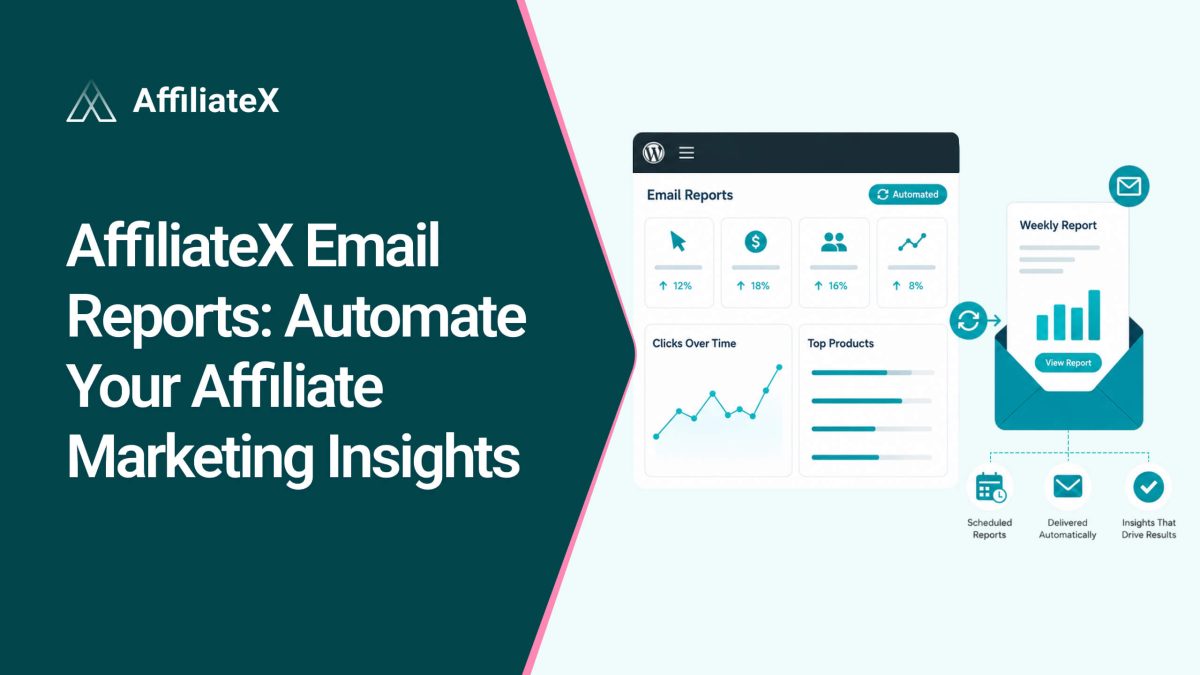
AffiliateX Email Reports is a Pro feature that emails you a clear summary of your affiliate site’s performance on a set schedule. It pulls together your link performance, top pages, platform and device data, and broken-link alerts into a single message.
It works across Amazon, AliExpress, and eBay, so if you promote products on multiple networks, you can see it all in a single report. No logging in, no digging, just the insights waiting for you when you open your email.
What Do AffiliateX Email Reports Show?
The real value isn’t the data itself, it’s the decisions it helps you make. Each part of the report answers a question that matters to your earnings.
Every report includes a performance summary of your affiliate product links by default. You can also see your top-performing pages and links. This tells you exactly what’s working, so you can create more of it, refresh your best pages, and give your winners more visibility.
The platform breakdown shows which networks, Amazon, AliExpress, or eBay, drive your results. The device breakdown shows whether your clicks come from phones, tablets, or desktops. Together, they help you understand your audience and design your pages around how people actually shop.
Broken-link alerts flag dead or faulty affiliate links so you can fix them fast. This is one of the most valuable parts of the report, because a broken link is a silent leak, it costs you commissions without any obvious sign until you check. Getting alerted by email means you catch these problems early.
Setting Up Your Email Reports in Four Steps
Before you start, make sure both AffiliateX Free and AffiliateX Pro are installed and active on your site. Then go to AffiliateX > Email Reports, where you will find four simple sections to configure.
1. Frequency: Decide how often you want reports. You can choose weekly, monthly, or both, depending on how closely you like to track things.
2. Recipients: Add the email addresses that should receive the reports. You can add as many recipients as you want, and each one gets the report on your chosen schedule.
3. Report Sections: Pick which insights to include. By default, you will get the link performance summary, and you can add top-performing pages and links, the platform breakdown, the device breakdown, and broken-link alerts. Choose only what you care about.
4. Test: Send yourself a test report first. This lets you preview the data in your inbox, confirm it looks right, and fine-tune your recipients and preferences before going live.
When you are happy with everything, click “Save Changes” in the top right corner. From then on, your reports arrive automatically.
Who Benefits Most
Email Reports suits anyone who wants to stay informed without extra work, but a few groups get especially strong value.
Busy solo affiliates stay on top of performance without carving out time to log in and dig through dashboards. The summary simply shows up.
Teams and agencies can add multiple recipients, so everyone who needs the numbers, an editor, a manager, or a client, gets them automatically.
Multi-site owners keep a steady pulse on performance across their portfolio, with regular check-ins that they don’t have to remember.
Turning AffiliateX Email Reports Into Action
A report is only useful if you act on it. Here’s how to make each email count.
Fix broken links as soon as you are alerted. Treat broken-link alerts as your top priority, since they directly cost you money.
Double down on top performers. When a page or link stands out, expand it, update it, or feature it more prominently to squeeze out more clicks.
Match your design to your devices. If most clicks come from mobile, make sure your buttons and product blocks shine on phones.
Compare reports over time. Watching trends week to week or month to month tells you whether your changes are working, so adjust your frequency to fit how you like to review.
Share the load. Add teammates or clients as recipients so the right people see the data and decisions get made faster.
Final Thoughts
Good affiliate decisions start with good information, and the easiest way to stay informed is to stop relying on memory. AffiliateX Email Reports brings your performance to you automatically. For instance, what’s earning, where your buyers come from, and which links need fixing, all in one scheduled email.
Set your frequency, add your recipients, choose your sections, send a test, and save. From that point on, your insights arrive on their own, leaving you free to act on them and grow. Let the reports do the watching, so you can focus on what the numbers tell you to do next.
Quick, clear explanations to help you use AffiliateX with confidence.
01
What does an AffiliateX Email Report include?
A summary of your affiliate link performance, plus optional top-performing pages and links, a platform breakdown, a device breakdown, and broken-link alerts, covering Amazon, AliExpress, and eBay.
02
How often will I receive reports?
As often as you choose. You can set them to arrive weekly, monthly, or both.<br>
03
Can I send reports to more than one person?
Yes. You can add as many recipients as you like, and each receives the report on your chosen schedule.
04
Do I need AffiliateX Pro for Email Reports?
Yes. You’ll need both AffiliateX Free and AffiliateX Pro installed and active to use Email Reports.
05
Can I choose what’s in my report?
Yes. The link performance summary is included by default, and you can add or remove the other sections to match what you care about.
06
Can I preview a report before sending it out?
Yes. The Test section lets you send a sample report to your own inbox first, so you can check the data and settings before going live.
Afrin is a skilled Product Marketing Specialist passionate about WordPress products. She effectively combines her background in Telecommunication Engineering and her MBA in Marketing to bridge technology and marketing. Afrin transforms technical WordPress features into compelling, user-centric content that drives conversions and fosters engagement. In her free time, she enjoys traveling, animated movies, and singing, reflecting her creativity and adventurous spirit.