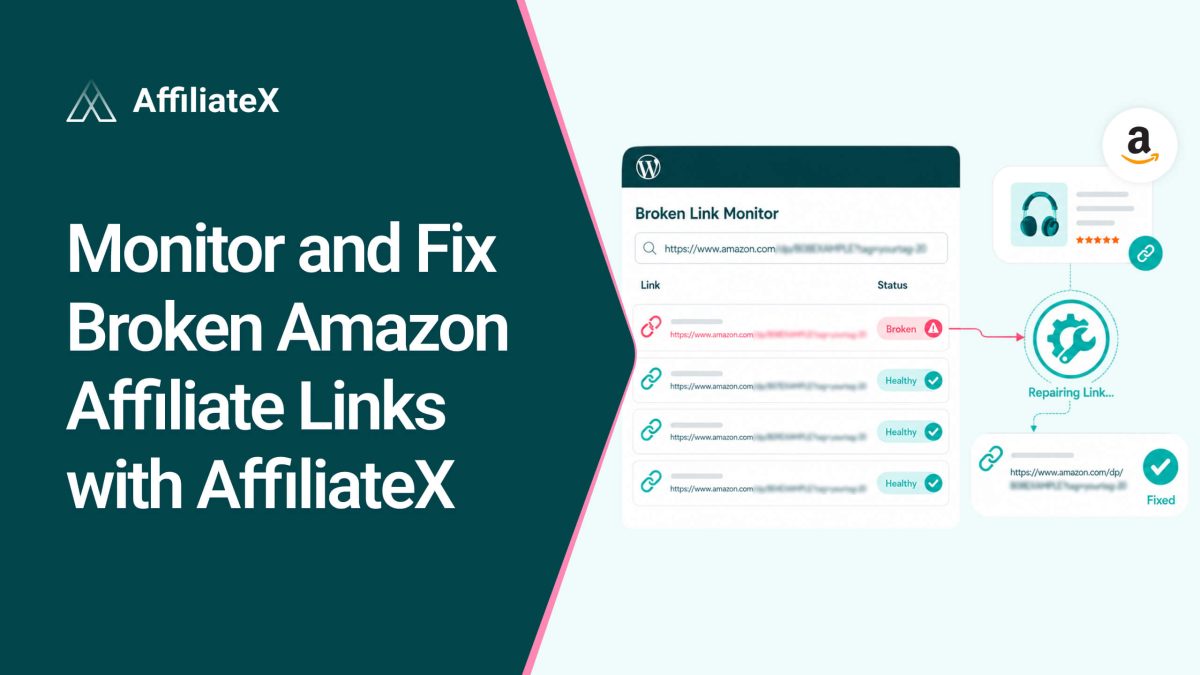
A broken affiliate link is one of the sneakiest ways to lose money online. It doesn’t throw an error, you will notice. It doesn’t send you a warning. It quietly sends your readers to a dead page, and every click that should have earned a commission earns nothing. By the time you spot it, days or weeks of sales are already gone.
AffiliateX includes a built-in Broken Links Checker that closes this gap. It scans your affiliate links, sorts them by health, and tells you exactly which ones need fixing, so a dead link never drains your earnings in silence again. Here’s how it works and how to use it.
It’s easy to underestimate the damage a few dead links can do. The harm adds up across several areas at once.
Lose Commissions: A broken link earns zero. If it sits on a popular page, you could be losing sales every single day without even realizing it.
Lose Reader Trust: When someone clicks your recommendation and lands on an error or a missing product, they doubt your advice. That makes them less likely to click again.
Hurt Website SEO: Search engines notice dead links and a poor user experience. Too many broken links can chip away at your rankings over time.
Make Site Slow: Bad links and outdated connections can drag on your page performance, and slower pages cost you both visitors and rankings.
The fix isn’t to check everything manually. That’s impossible at scale. The fix is to let a tool monitor your links and enable you to fix them to ensure website performance.
How AffiliateX Broken Links Checker Works
AffiliateX Broken Links Checker scans the health of all your affiliate links and shows the results in one place. It works for Amazon, AliExpress, and eBay links, so every network you use is covered.
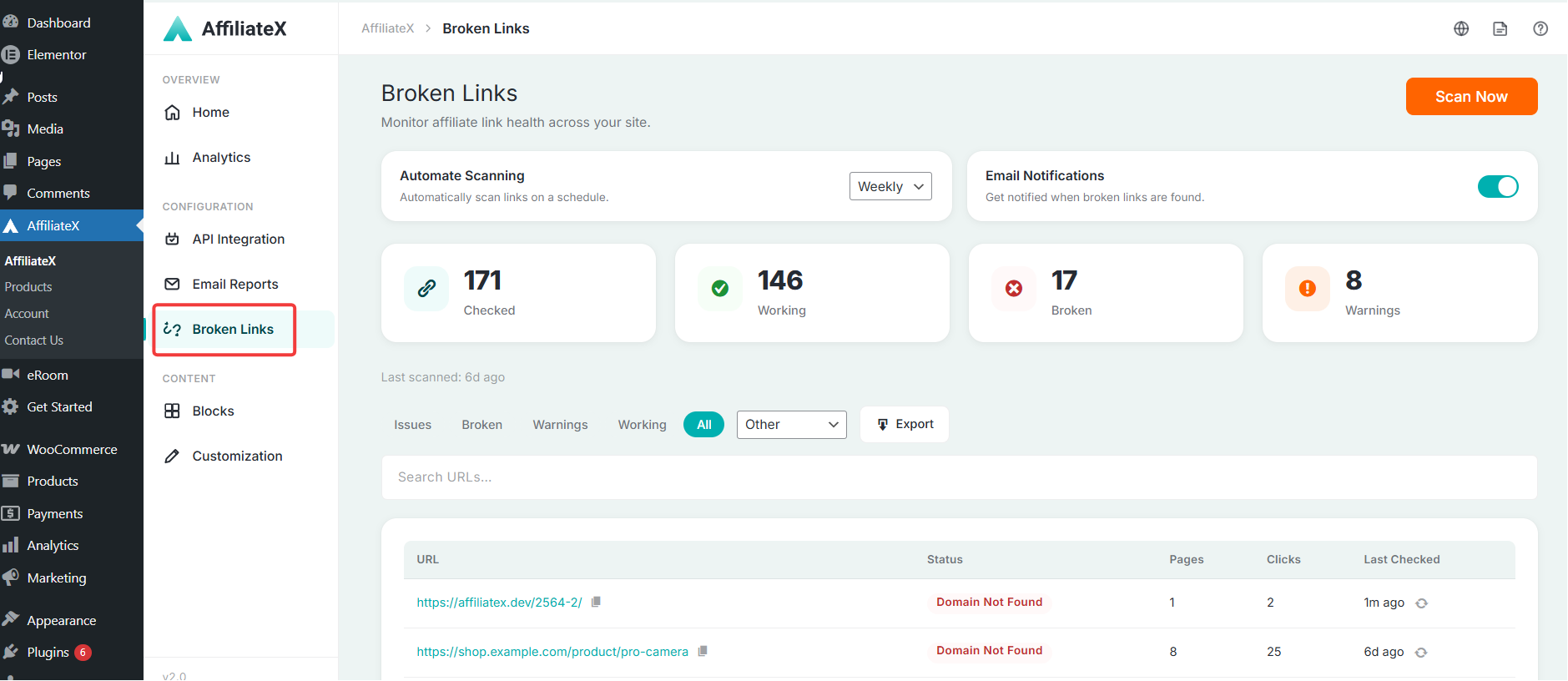
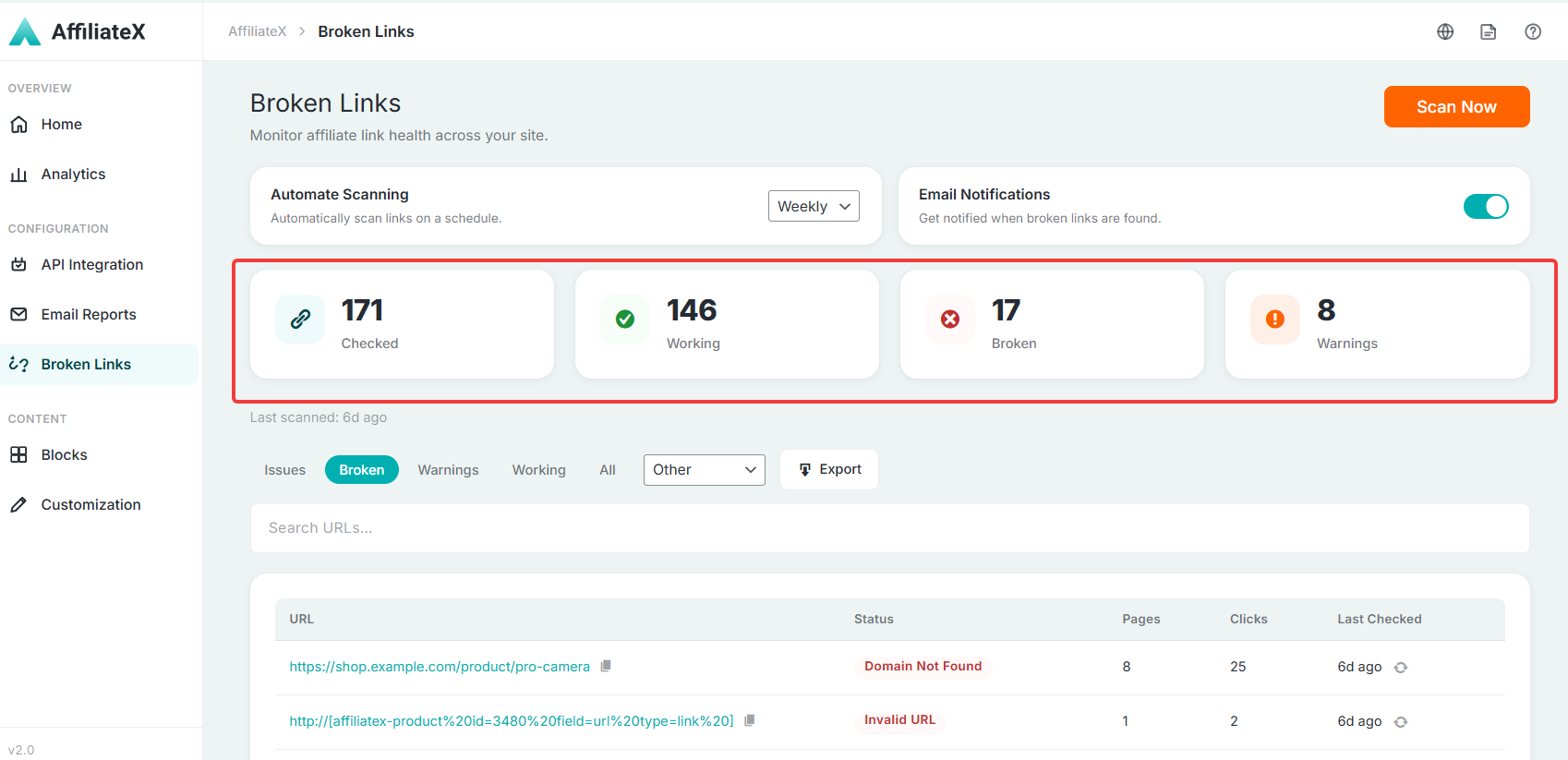
At the center is an interactive dashboard. At a glance, it shows the total number of links checked, how many are working, how many are broken, and how many have warnings. You get an instant read on your site’s link health without clicking through a single page.
AffiliateX Broken Link Checker sorts every link into one of four tabs, like a health check that tells you what needs attention. Each tab shows the same useful details, like how many pages the link appears on, its total clicks, and when it was last scanned. A Search URLs bar lets you jump straight to any specific link.
Working: These are your healthy links, doing their job and sending readers where they should go. You can search this tab anytime to confirm a link is fine.
Issues: This tab gathers links with problems that need a look. You can see each problem’s status, check how much traffic it affects, and fix it right away.
Warnings: These links aren’t fully broken, but something’s off. They would be redirected or temporarily unavailable. Catching them early prevents bigger problems later.
Broken: These are the urgent ones, like dead links that need fixing now. Because the tab shows total clicks and the pages involved, you can see exactly how much each broken link is costing you and act fast.
Sorting links this way turns a worry into a clear, prioritized to-do list and makes affiliates’ Amazon links safe, ensuring the website’s good reputation.
Automatic Amazon Affiliate Link Scanning and Alerts
You shouldn’t have to remember to check your links, and with AffiliateX, you don’t. The tool can run on its own.
Automate Scanning lets you schedule scans to run daily, weekly, or monthly, whatever fits your publishing pace. You can also pause it whenever you like. Once it’s set, the checker keeps watch in the background.
If you need an answer right now, just press the Scan Now button on the dashboard, and the tool scans your links and returns the latest results within about a minute.
To stay informed without checking in, switch on Email Notifications. With this toggle enabled, AffiliateX emails you whenever it finds broken links, so you hear about problems as soon as they appear.
Find and Fix Broken Amazon Affiliate Links with AffiliateX
Here’s how quick the actual fix is, start to finish. Open your Broken Links Checker dashboard and look at the summary. If the Broken or Warnings count is greater than 0, click that tab. Scan the list, or type a specific URL into the Search URLs bar to find the link you want. You will see which pages it appears on and how many clicks it gets, so you know how urgent it is. Then update or replace the link, and the leak is sealed.
Two extra touches make this even easier. You can sort your link data across all platforms at once or filter by a specific platform, like Amazon, so you can focus on what matters. And you can use the Export option to download your link information, handy for deeper analysis or for keeping records.
Now Fix Your Broken Amazon Affiliate Links with AffiliateX
Broken links silently cost you affiliate income, your readers’ trust, and even your search rankings, often without you realizing it. There, you get the solution with AffiliateX Broken Links Checker, which removes that risk. It scans your Amazon, AliExpress, and eBay links, sorts them into working, issues, warnings, and broken, and lets you fix problems as soon as they appear.
Set your scans to run automatically, turn on email alerts, and let the tool keep watch while you focus on creating content. With your links monitored and healthy, every click your readers make has the chance to earn, exactly as it should.
Quick, clear explanations to help you use AffiliateX with confidence.
01
Which platforms does AffiliateX Broken Links Checker support?
It works for Amazon, AliExpress, and eBay affiliate links. You can view all platforms together or filter by a specific one.
02
Do I need AffiliateX Pro to use it?
Yes. You will need both AffiliateX Free and AffiliateX Pro installed and active on your WordPress site.
03
Can it check my links automatically?
Yes. Automate Scanning lets you run scans daily, weekly, or monthly, or pause them. You can also run an instant scan at any time with the Scan Now button.
04
Will I be told when a link breaks?
If you turn on Email Notifications, AffiliateX emails you whenever it finds broken links, so you don’t have to keep checking the dashboard.
05
What’s the difference between a “warning” and a “broken” link?
A broken link is dead and needs fixing now. A warning link still works but has an issue, like a redirect or temporary unavailability, that’s worth reviewing before it becomes a bigger problem.
06
Can I export my link data?
Yes. The Export option lets you download your link information for analysis or record-keeping.
Afrin is a skilled Product Marketing Specialist passionate about WordPress products. She effectively combines her background in Telecommunication Engineering and her MBA in Marketing to bridge technology and marketing. Afrin transforms technical WordPress features into compelling, user-centric content that drives conversions and fosters engagement. In her free time, she enjoys traveling, animated movies, and singing, reflecting her creativity and adventurous spirit.