

How to Define “AssociateNotEligible” Error? #
The Amazon API AssociateNotEligible error indicates that your account does not meet the requirements to use the API. To maintain access, you need to meet a minimum number of qualified sales, typically 10 in the trailing 30 days.
Eligibility and Amazon API Access Requirements #
To use the Amazon PA API 5.0, you must follow the guidelines below:
- You must have an approved Amazon Associates account. The application review process requires that your website, app, or social media pages have robust original content and a finished look.
- You need to obtain initial access and credentials for the PA API. You should have made at least 3 qualified sales within the first 180 days of opening your account.
- To maintain active access to the API and avoid the AssociateNotEligible error, your account must generate 10 qualified, shipped sales in the trailing 30 days. This is a recent, unofficial change to the policy that has been widely reported by users and confirmed in some documentation snippets since November 2025.
- You must follow the terms of the Amazon Associates Program Operating Agreement and API License Agreement.
- Ensure you are using the correct PA-API 5.0 credentials, not older AWS credentials. Amazon provides a migration guide if needed. The keys should be mapped to an approved store that you own and are the primary account holder for.
How to Check if Your API is Working with Scratchpad #
Amazon’s AWS Scratchpad is the recommended tool for verifying that your API is working. It shows detailed error messages and reports for your API keys.
Use these steps to check if your API works with Scratchpad:
Go to Amazon’s AWS Scratchpad.
Select the “SearchItems” option in the left sidebar. This opens a form where you can enter your Amazon API Partner Tag, Access Key, and Secret Key.
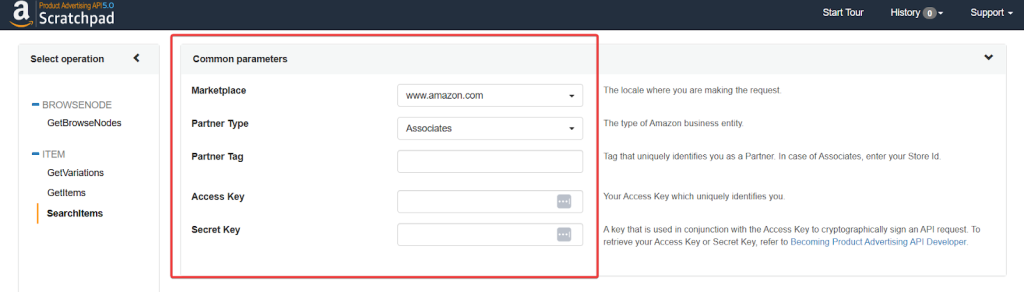
Next, fill in the required details, including keywords, and click the “Run Request” button.
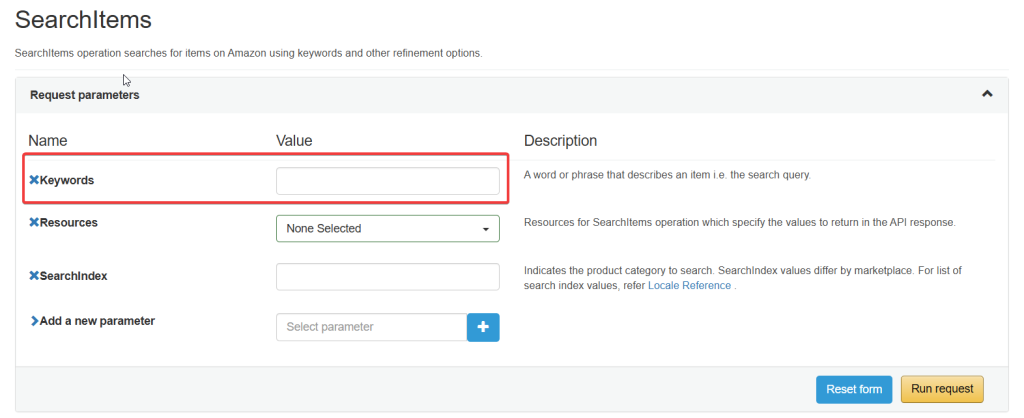
You will see the result under the “Response Types” section.

How to Troubleshoot the “AssociateNotEligible” Error #
If you see the Amazon API AssociateNotEligible error, start by checking the issue and follow these steps:
- Log in to your Associates Central dashboard and check your “Link Type Performance Report” to make sure you have at least 10 qualified, shipped orders in the last 30 days.
- If you have fewer than 10 sales, you need to generate more. After your orders are shipped, your API access should be restored automatically within about 48 hours.
- Sometimes this error occurs when your API key is deactivated during a security audit. You can fix this by generating new credentials in Associates Central, but they may take up to 72 hours to activate.
We cannot directly help with API errors, but the Amazon Associates team can. Contact Amazon for more help.
Instantly Fix “AssociateNotEligible” Error with AffiliateX #
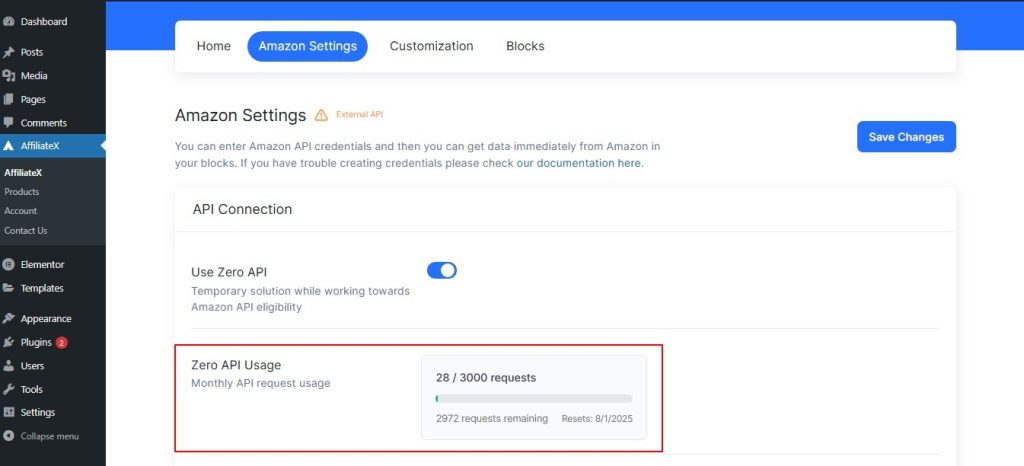
If you have been hit with an “AssociateNotEligible” error or are tired of the “TooManyRequests” error, AffiliateX Zero API is your ultimate workaround. It’s the reliable alternative that keeps your site running without the Amazon headache. With AffiliateX Zero API, you can:
1. Open AffiliateX Zero API #
2. Use Amazon API instantly #
3. Make your account eligible for Amazon API requirements #
If you want to explore more useful AffiliateX blocks and features, check the AffiliateX documentation site for a step-by-step guide.


