

To use the Amazon Creators API, your account must meet the following criteria:
- You must be enrolled in the Amazon Associates Program and have a fully approved account.
- Your Associates account must have generated at least 10 qualified sales in the past 30 days before you can access the Creators API.
- If your account fails to maintain the 10‑sale minimum over a 30‑day period, access to the Creators API will be temporarily suspended. Once your qualifying referrals are shipped again and meet the sales threshold, access is typically restored automatically within a couple of days.
But with AffiliateX, you can use the Zero API solution to promote and increase sales of your affiliate product links without the Creators API. Once you have access to your Creator API, you can configure and continue the Amazon affiliate product promotion process.
Get Started with Amazon Creators API Credentials #
After meeting the eligibility criteria, you now have to follow the steps below to create your Amazon Creator API credentials:
- Log in to Amazon Associates Central
- Go to Tools → Creators API. Other than that, you can click on this link directly.
- Afterwards, click Create Application and provide an application name. This application name is for internal reference only.
- After creating the application, click Add New Credential.
Amazon will give back to you the listed credentials:
- Credential ID
- Credential Secret
- Version (API version)
These data will help you authenticate your API requests. Just make sure to copy the credentials or download them as a CSV file. Also, to securely store the credential secret, since it is only shown once.
5. Finally, log in to your WordPress dashboard and navigate AffiliateX → Amazon Settings → Amazon Creator API.
Fill in the required sections with the following values:
- Credential ID
- Credential Secret
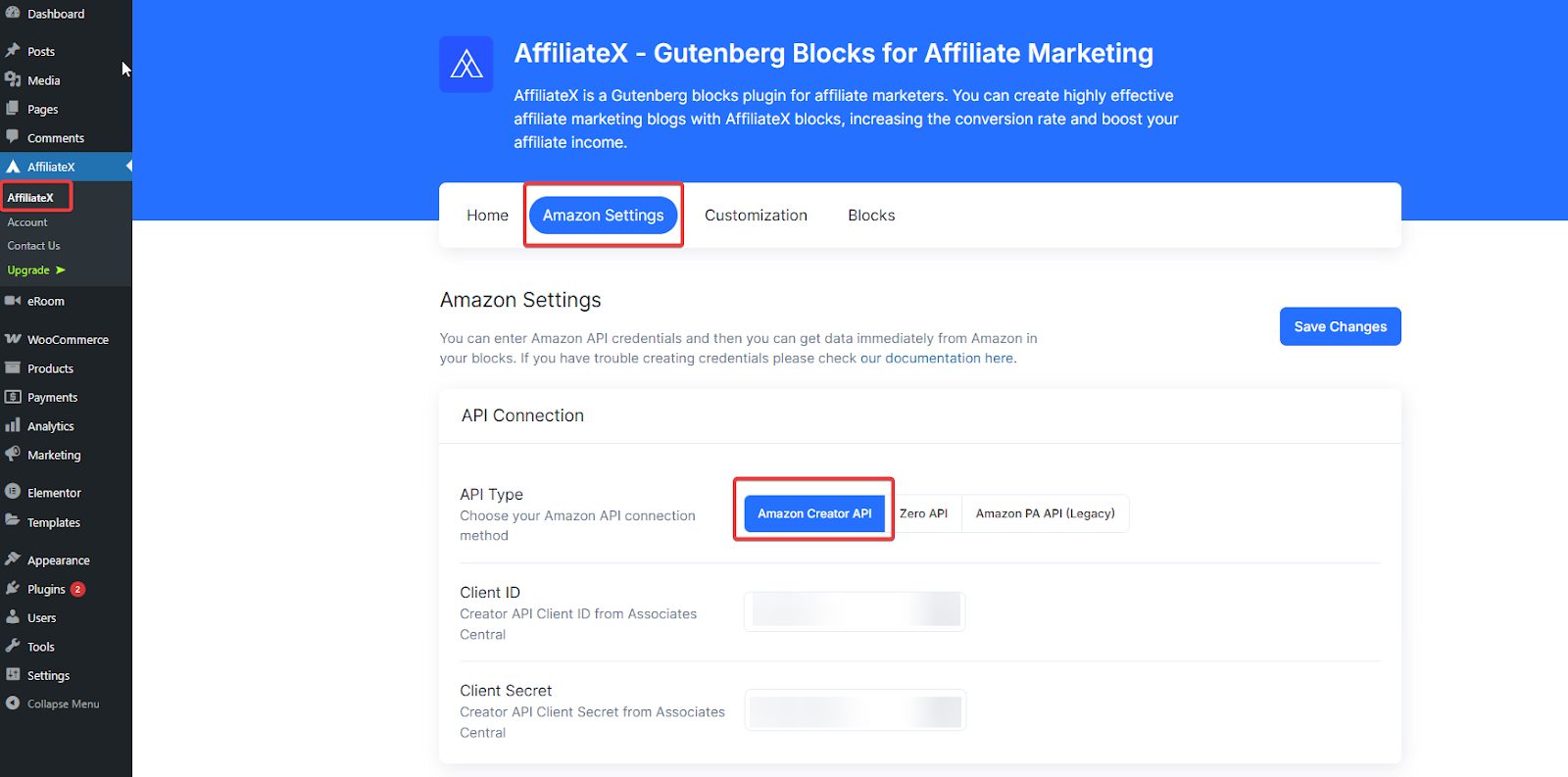
Now, hit the “Save Changes” button in the top-right corner of Amazon Settings. AffiliateX can help retrieve product data from Amazon via the Creators API.


