


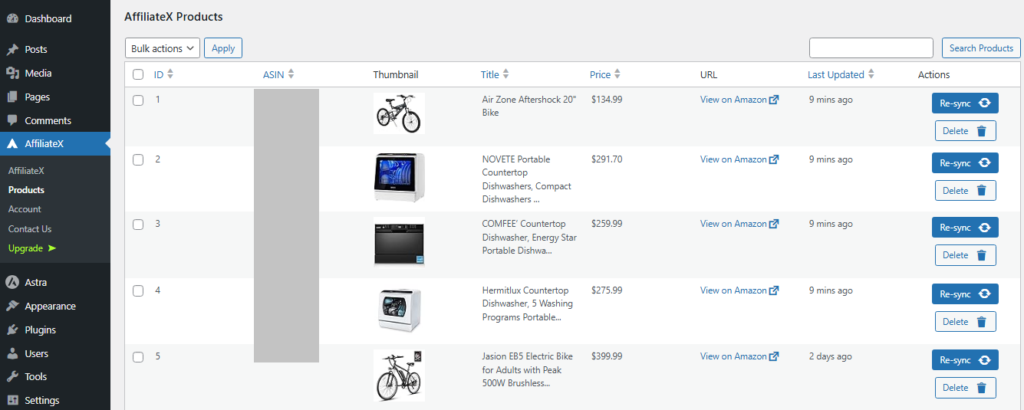
You can manage the affiliate products you promote through your Amazon API integration on your AffiliateX product dashboard. You can view the list of products, delete them, or resync them to keep them up to date with Amazon’s latest updates.
To manage your AffiliateX products, follow the steps below:
Visit your WordPress admin dashboard.
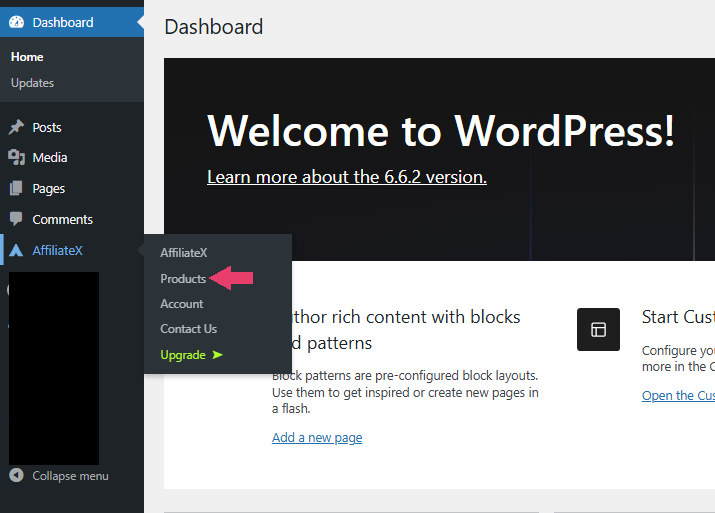
Place your cursor over the “AffiliateX” plugin on the left-hand sidebar.
Click on “Products” to view all the products you promoted.
If you want to explore more useful AffiliateX blocks and features, check the AffiliateX documentation site for details.