


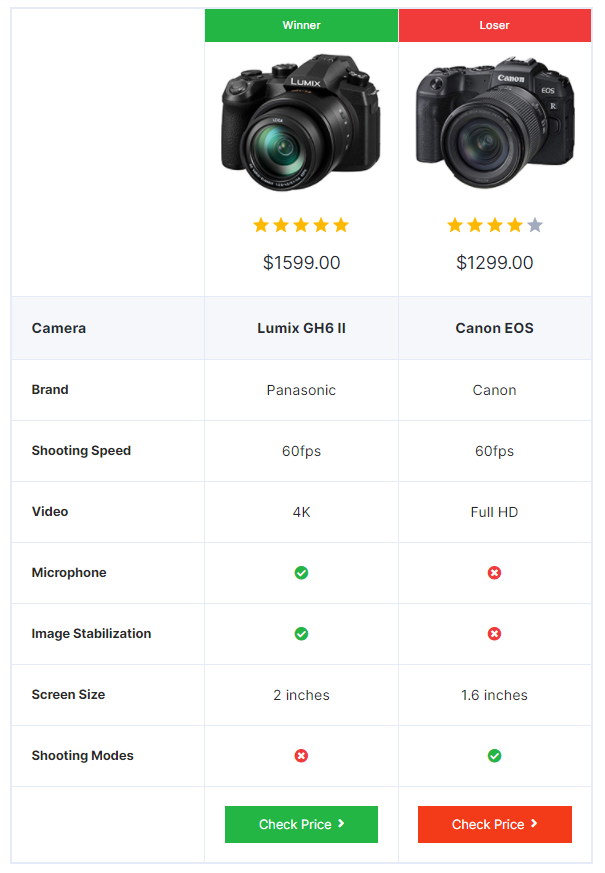
The AffiliateX Versus block is an extension for the free AffiliateX Versus Line block. You can display a comparison between any two products and also provide your verdict on which would be the better one for purchase.
How to add the AffiliateX Versus block?
- On a page/post editor, click on the Add block icon
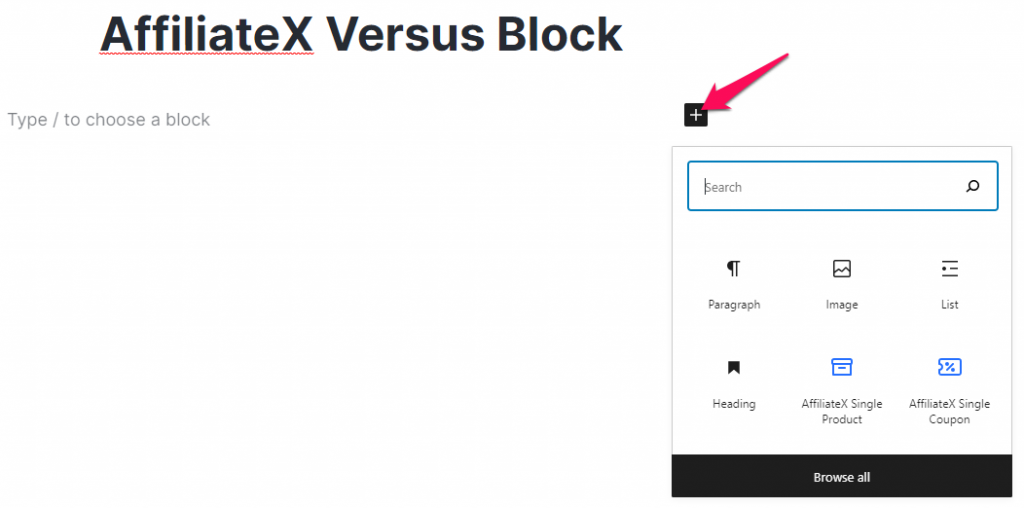
- Search for AffiliateX Versus and click on the block to add it
- You will get a default block design, which you can modify via the provided Block Settings
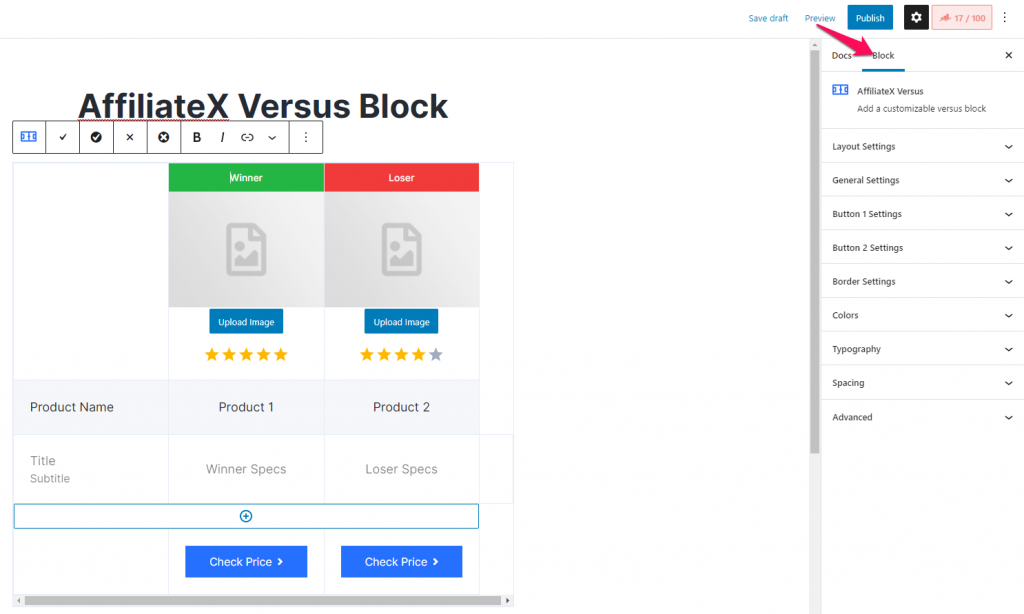
Block Settings
The following is the list of block settings provided to customize the AffiliateX Versus block.
Layout Settings: You can choose your preferred block layout here.
General Settings: You can enable or disable different block elements and add a box-shadow effect.
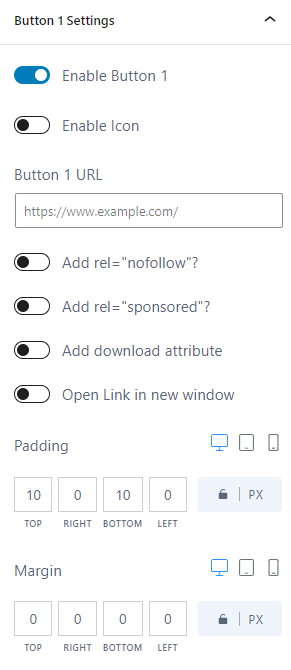
Button 1 and Button 2 Settings: The following options are provided under this setting –
- You can choose to hide or display a button.
- Enter the URL you want the button to link to.
- You can enable the attributes you want to add to the button.
- You can configure the button’s design elements.
Border Settings: This setting lets you add a border to the entire block.
Colors: You can choose colors for the block’s elements and configure the block’s background.
Typography: You can configure font settings for block elements here.
Spacing: This option lets you customize the block’s padding and margins.
If you want to explore more useful AffiliateX blocks and features, check the AffiliateX documentation site for details.