


AffiliateX Broken Links Checker tool helps Amazon, AliExpress, or eBay affiliates check the health of their affiliate website links by scanning in detail to provide data on link issues, working links, broken links, and warnings. It helps affiliates track, measure, and analyze the health of every link, so you can fix broken links on your website immediately and ensure faster site load times.
How to Get Started with AffiliateX Broken Links Checker
This documentation explains how AffiliateX Broken Links Checker works and includes all other details in one place.
First, make sure you have installed and activated AffiliateX Free and AffiliateX Pro plugins on your WordPress site.
If you have already installed both plugins, navigate to AffiliateX > Broken Links Checker to see four functional tabs like Issues, Working, Broken, and Warnings, with other exclusive individual features on the dashboard.
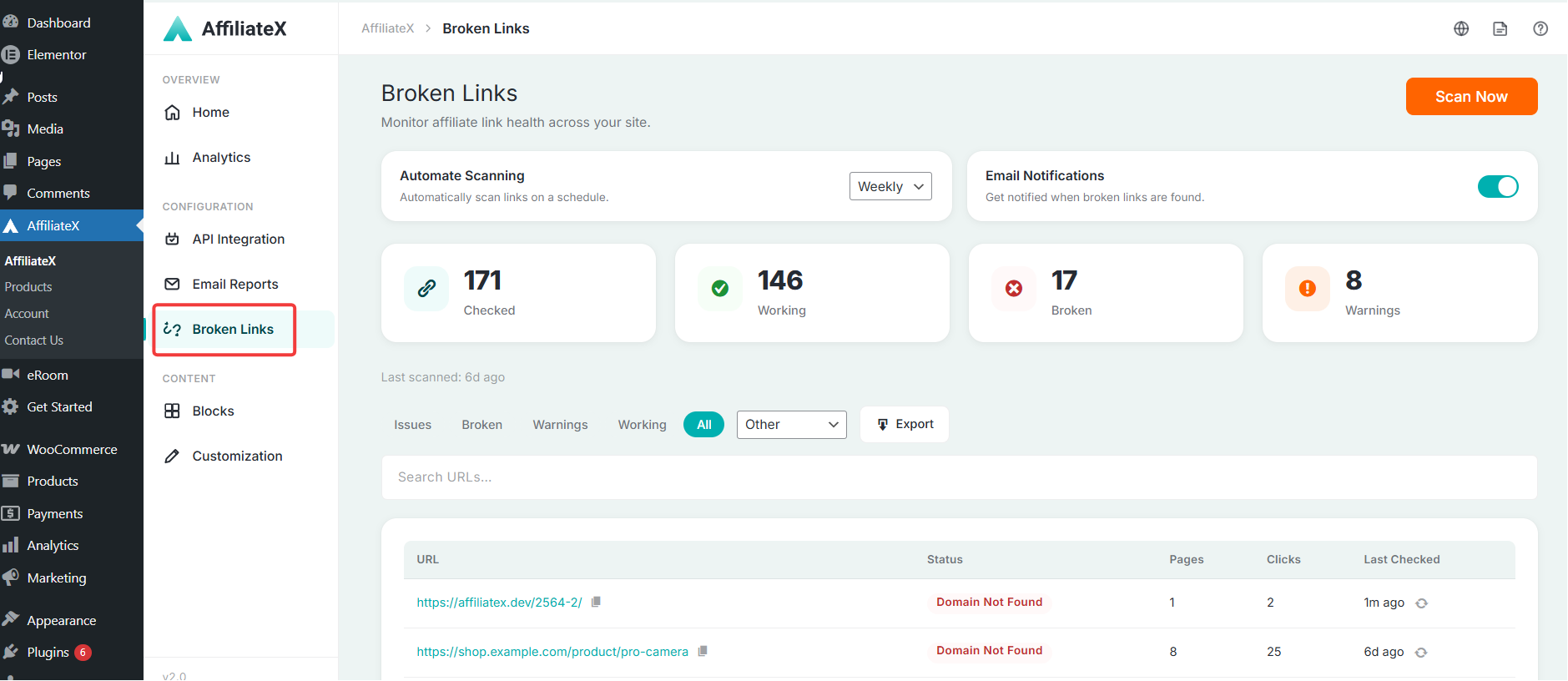
Interactive Dashboard
Broken Link Checker comes with an interactive dashboard where you can, at a glance, see the total links checked, working status, broken link status, and warnings, along with all other individual features and tabs.
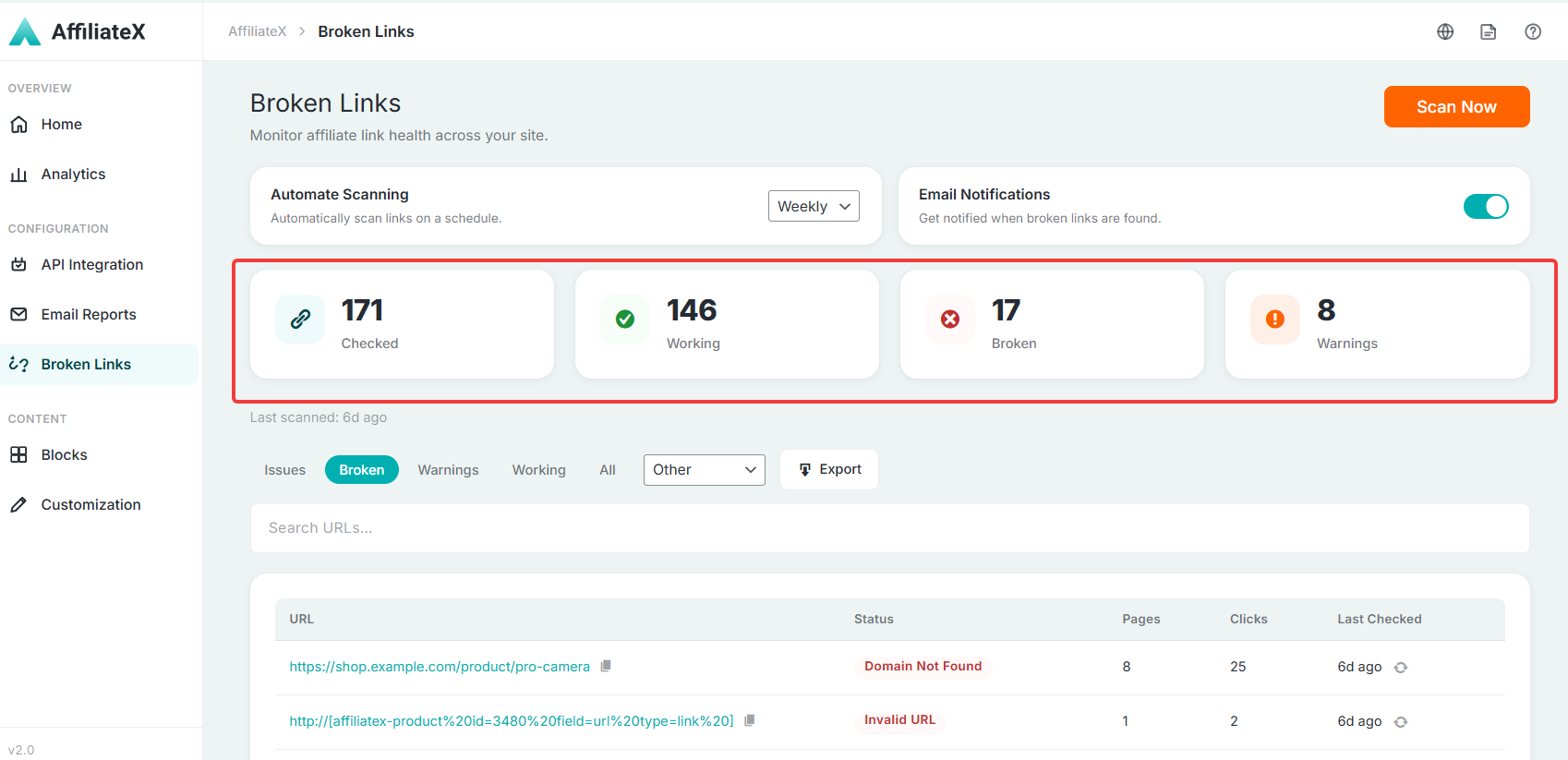
Automate Scanning
AffiliateX Broken Links Checker includes an Automate Scanning option that lets affiliate marketers set their link scanning to run daily, weekly, monthly, or disable it for a while.
Not only that, you can instantly start link scanning when you visit the Broken Links Checker dashboard by pressing the Scan Now button, and within a minute, it will scan and give you the latest update.
Email Notifications
You will get a toggle button for Email Notifications. If you enable this button whenever broken links are found, you will get notified.
Issues
In AffiliateX Broken Links Checker Issues tab, you can view and analyze all your affiliate link problem statuses, the number of pages they include, total clicks, and when they were last scanned. You can easily search for a specific link in the Search URLs bar and fix the issue immediately.
Broken
In AffiliateX Broken Links Checker Broken tab, you can view and analyze all your broken affiliate link statuses, the number of pages they include, total clicks, and when they were last scanned. You can search for a specific link in the Search URLs bar and fix the link issue.
Warnings
In AffiliateX Broken Links Checker Warnings tab, you can view and analyze all your affiliate links with warning statuses (like redirected, temporarily unavailable, etc.), the number of pages they appear on, total clicks, and when they were last scanned. You can immediately search for a specific link in the Search URLs bar and fix the issue.
Working
In AffiliateX Broken Links Checker Working tab, you can view and analyze all your affiliate links that have Working statuses, the number of pages they appear on, total clicks, and when they were last scanned. You can instantly search for a specific link in the Search URLs bar to see how it works.
Note: Affiliates can sort link data by all platforms or by specific platforms like Amazon, or manually check each tab’s link information. Also, as an affiliate, if you want to analyze the link issues, you can also use the ‘Export’ option to download the information.
If you would like to explore more useful AffiliateX integration, features, or exclusive blocks, visit the AffiliateX documentation site for details.